Free for Craft Commerce 5
Order numbers people can read down the phone
Commerce gives every completed order a reference derived from its cart hash — 4b55768. It is unique, and it is useless to a customer reading it aloud or an accountant reconciling a spreadsheet. Abacus replaces it with a number you designed.

One field, one token
Write the format you want and put {number} where the counter goes. The dates are the order's dates, not today's — which is what makes a backfill of a two-year-old order land in the right year.
INV-{yyyy}-{number}      →  INV-2026-01042
SO-{number}              →  SO-000317
{yyyy}-{mm}-{number}     →  2026-08-0044

{# It writes to Commerce's own reference, so nothing in your
   templates has to change. #}
{{ order.reference }}Features
A proper counter table, a mutex and a ledger — not a number stashed in a meta field.
Formats that mean something
Prefix, suffix, year, month, day, store and site tokens, with zero-padding, a custom start and a custom increment.
- A format without {number} is refused
- So is an unknown token — a typo like {yyy} never reaches an invoice
Resets that actually reset
A scheme keeps one counter per reset period, so "reset every month" means a real counter for 2026-08 and another for 2026-09 — not one number nudged backwards.
No duplicates, under load
Every number comes out of one method holding a per-scheme mutex, checked against both the orders table and the ledger, with a unique index behind it.
A sequence per order type
Pro adds several schemes per store, each matched by a Commerce order condition. First match wins, so wholesale, big orders and everything else can each have their own run of numbers.
Backfill that rehearses first
Renumber orders that completed before Abacus arrived, in completion order. Preview the whole table of now → would become before a single row is written, and put it back afterwards if you need to.
- A run recomputes rather than replaying the preview
- Reverting restores references without rewinding the counter
A ledger, not a guess
Every number ever issued, what it replaced, where it came from and what became of it — searchable in the CP and exportable as CSV.
Abacus in the control panel
Real screens from a Craft 5 install running Commerce — schemes, the allocation ledger, and a backfill dry run.
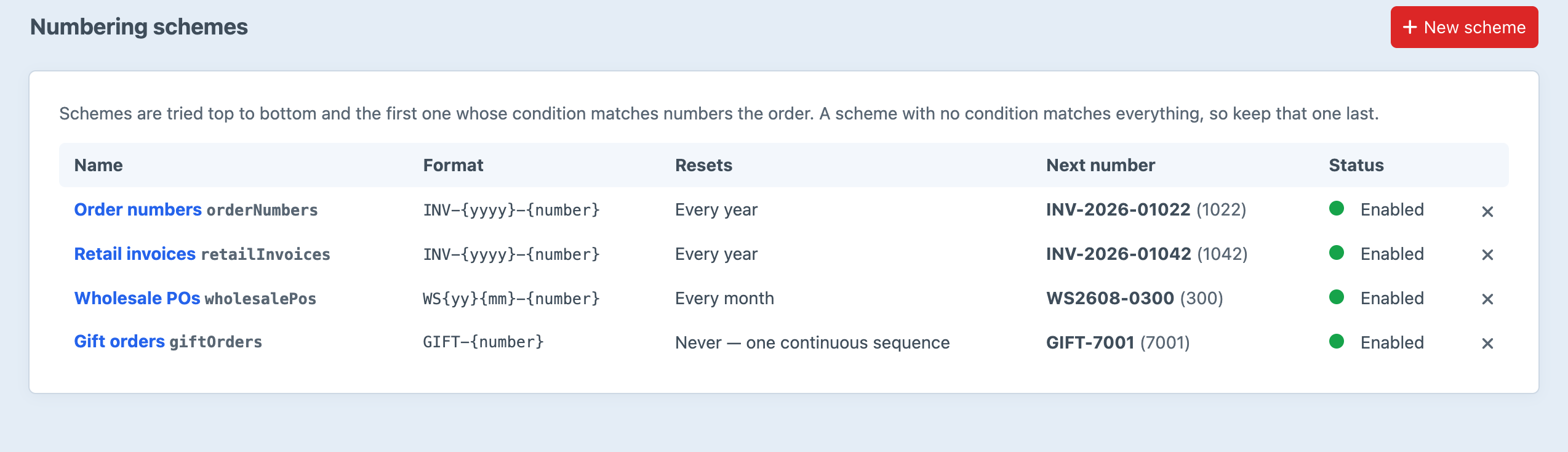
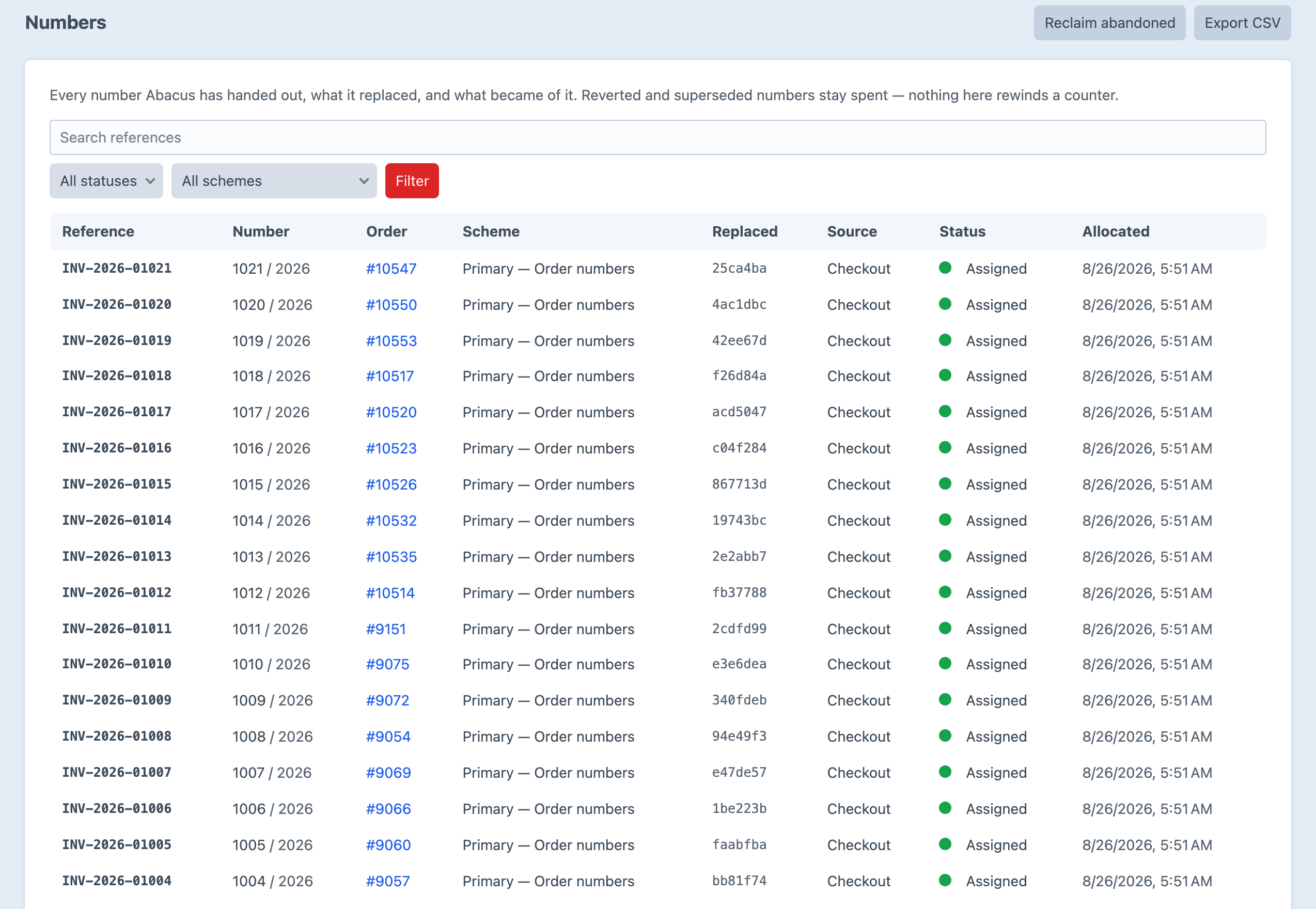
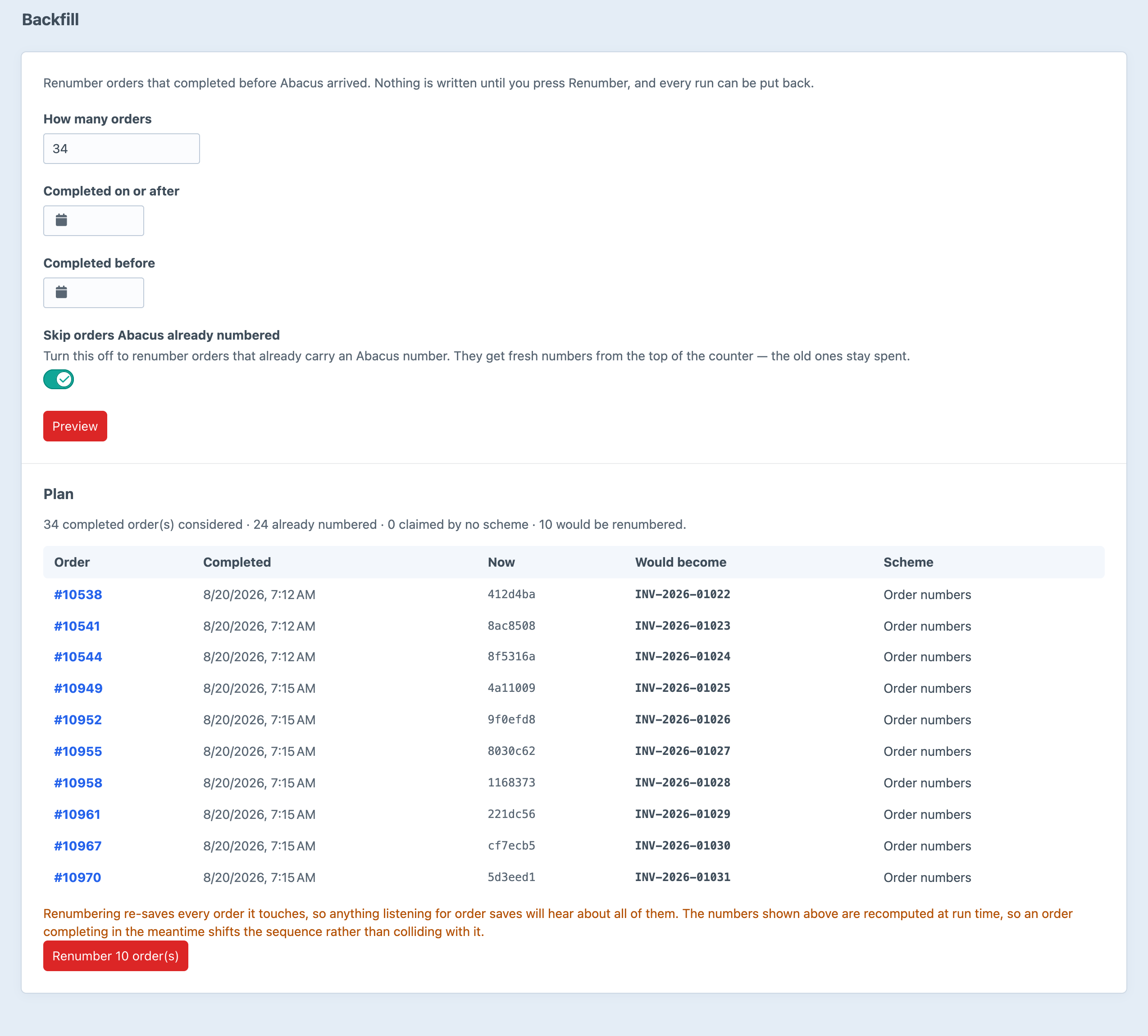
Screenshots from a live install, not mockups.
Frequently Asked Questions
The questions worth answering before you install it.
Lite is, and it is not a trial — one sequence per store, with the full format, padding, increment and reset options, for nothing. Pro is a one-off $39 with a $19/year renewal, and adds several schemes matched by order condition, skip lists, reclaim, backfill with undo, and the allocation ledger.
No. Abacus writes to Commerce's own order.reference, so the new number appears everywhere the old one did — the order index, emails, PDFs, and {{ order.reference }}.
No. order.number is the 32-character cart hash Commerce uses to identify a cart in URLs and cookies — a security token, not a customer-facing number. Rewriting it would break carts.
No, and neither can anything else that hands out a number before the record is saved. What Abacus offers instead of a promise is visibility: every allocation is in the ledger, and reclaim hands an abandoned number to the next order once the reclaim window has passed.
Nothing, until you ask. Backfill renumbers them in completion order, rehearses first, and can put the old references back.
Not meaningfully. Allocation holds a per-scheme mutex for the few milliseconds it takes to render one reference and write two rows, inside the order save that was already happening.
They queue on the scheme's mutex and get consecutive numbers. That is the whole reason allocation goes through a single locked method rather than reading and incrementing a column.
Craft CMS 5.3+, Craft Commerce 5.0+, PHP 8.2+.
Start free, upgrade when you need to
Lite is free and covers one sequence per store. Pro is $39 with a $19/year renewal, and adds multiple schemes, skip lists, reclaim, backfill and the ledger.