Free for Craft CMS 5
Feeds, in both directions
Most feed plugins read. Airwave reads and publishes, and the two halves share one data model — so a feed you pull in can be re-broadcast on a feed you send out without writing a template. Paste a URL, put a tag on a page, and you are done.

One line, or none at all
A tag in a template. A reference tag an author can paste into rich text, with no template change and no editor integration. Or a Feed field, so the person choosing which feeds appear on a page is the person editing it.
{# In a template #}
{{ craft.airwave.render('craft-news', { limit: 5, layout: 'cards' }) }}

{# In any CKEditor, Redactor or HTML field #}
{airwave:craft-news:render}

{# Several feeds as one stream, newest first (Pro) #}
{{ craft.airwave.renderMerged(['craft-news', 'php-weekly'], { limit: 10 }) }}

{# Or take the markup over completely #}
{% for item in craft.airwave.items({ source: 'craft-news', limit: 5 }) %}
    <a href="{{ item.getLink() }}">{{ item.titleText }}</a>
    <p>{{ item.getExcerpt(160) }}</p>
{% endfor %}Features
Four dialects in, four destinations out, and one item shape in the middle doing all the work.
Every dialect, sniffed not guessed
RSS 2.0, RSS 1.0 (RDF), Atom 1.0 and JSON Feed, detected by reading the document rather than trusting the file extension or the Content-Type.
- Feeds are served as text/html constantly — the header is not evidence
- Paste a site address instead and Airwave finds what it advertises
Filtered on the way in
Keyword, category, author and date rules run before an item is stored — so an item you never wanted is not merely hidden, it was never kept, and can never turn up in an entry by accident.
- Changing the rules only affects future items
- Reapply is a separate, explicit button, because it deletes things
A bad afternoon never blanks your page
If a refresh fails — the host is down, the certificate lapsed, the XML is broken — the stored items stay and keep rendering. Only the feed's health indicator changes.
Items as real entries
Map an item onto your own entry type with tokens or Twig, preview what would happen, and run it in capped background batches. Nothing is ever imported twice.
- Dedupe is the record of this item became that entry — it survives renaming, moving and deleting
- Categories create tags, but never invent branches in your category tree
Publish feeds of your own
A channel is a URI on your site plus enough configuration to answer it. Point it at a section and Airwave works out the mapping — or point it at the feeds it has already collected and publish a curated feed with no template at all.
- RSS on Lite; RSS, Atom and JSON Feed on Pro
- Cached, with a Cache-Control header that matches
Safe to point at a stranger's URL
Every host is resolved and private and reserved addresses are refused — on every hop of a redirect chain, because an open redirect on a public host walks straight past a check that only looks at the URL somebody typed.
- Every item goes through HTML Purifier before it can reach a page
- Aggregated markup is purified again on the way out of a channel
Airwave in the control panel
Real screens from a Craft 5 install subscribed to six live feeds — health at a glance, every collected item, and the channels Airwave publishes back out.
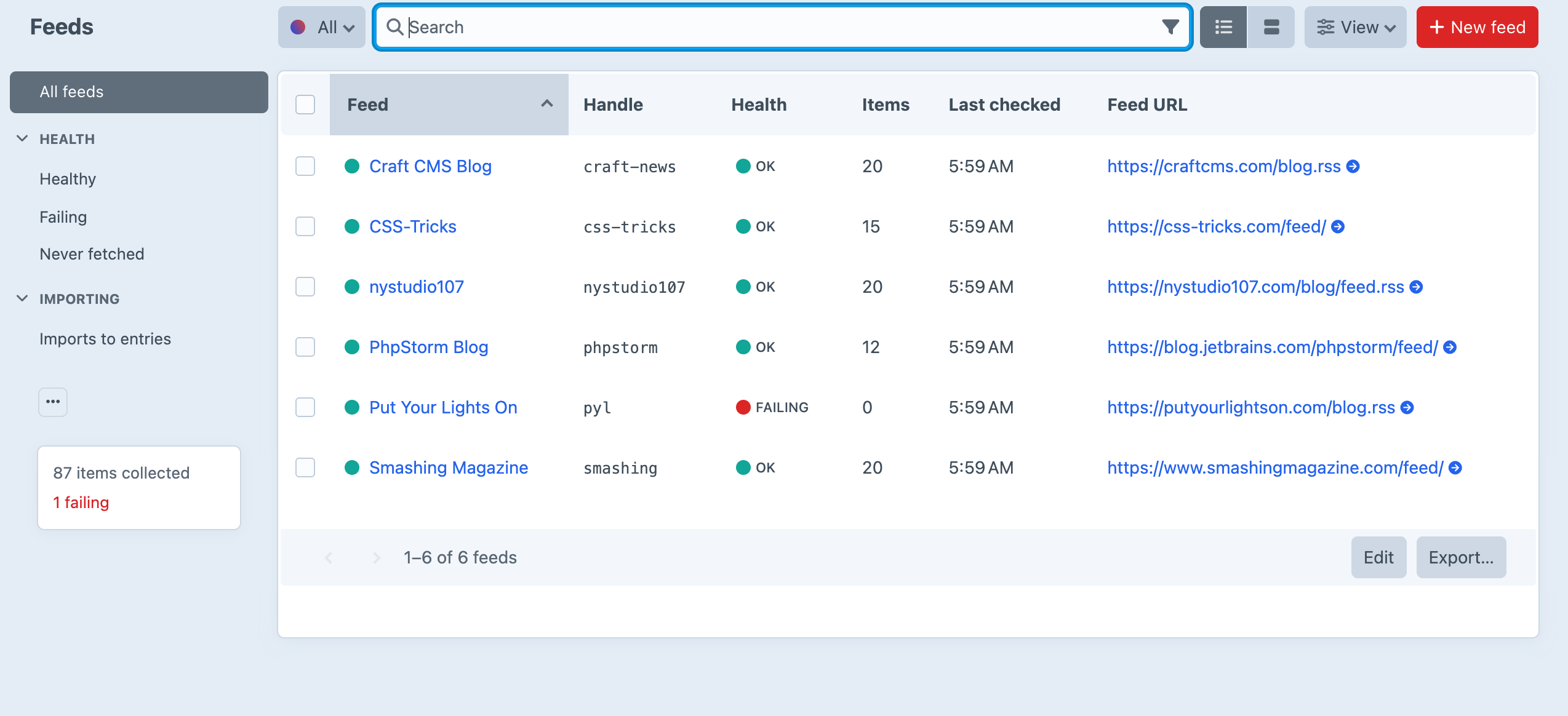
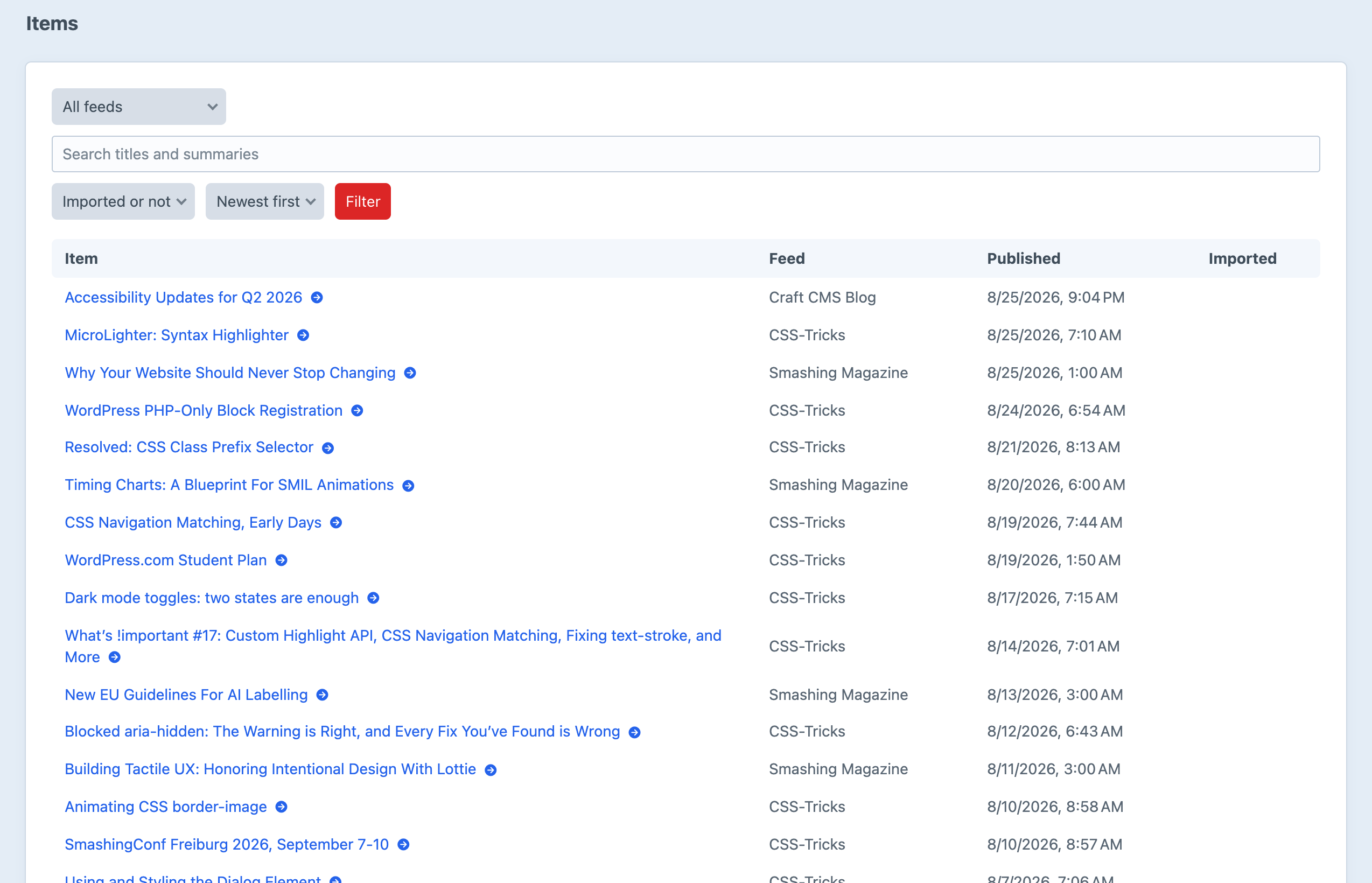
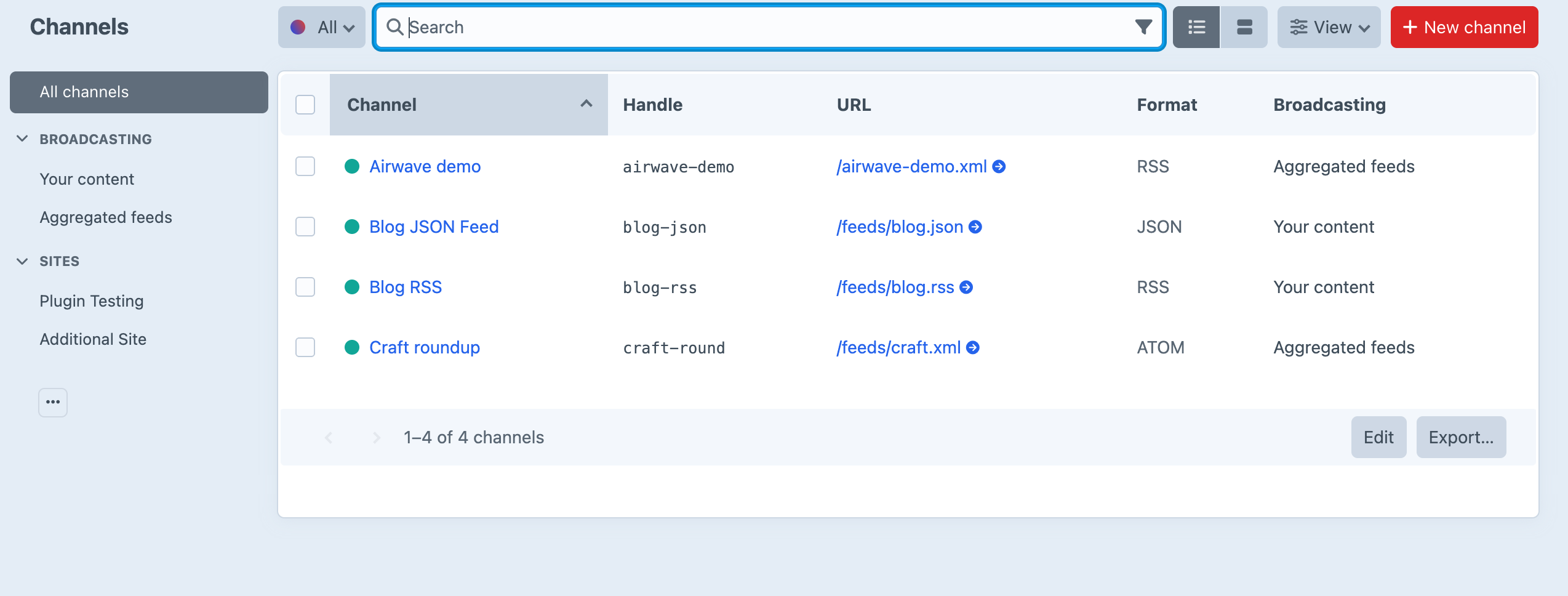
Screenshots from a live install, not mockups.
Frequently Asked Questions
The questions worth answering before you install it.
Lite is, and it is not a trial — three feeds, one published channel, RSS output, the renderer, the reference tag, the Feed field and the console commands, for nothing. Pro is a one-off $59 with a $29/year renewal.
Lite covers reading feeds and publishing one. Pro removes the feed and channel limits, adds Atom and JSON Feed output, and adds what you need once you are curating rather than embedding: filters, importing items as entries, full article content, merged multi-feed streams, per-feed refresh intervals, link rewriting and object templates.
Yes, and that is the half most feed plugins do not have. A channel publishes RSS, Atom or JSON Feed from any element query — or from the items Airwave has already collected, which is how you publish a curated feed without writing a template.
Paste {airwave:craft-news:render} into any rich-text field. Craft parses reference tags before the value reaches your template, so it works in CKEditor, Redactor or a plain HTML field with no template changes and no per-editor integration.
No. A feed that has never been fetched is read inline once, so the first page load is not empty; after that a stale feed queues a background job and the page renders from what is stored. And if a fetch fails, the stored items stay and keep rendering — a failed refresh never empties a feed.
That is what the SSRF guard is for. Airwave resolves every host and refuses private and reserved addresses, and re-validates every hop of a redirect chain. Allowing private network fetches is a site-wide setting that is off by default.
Yes, and there is no way around it. Every item goes through HTML Purifier before it can reach a page, and aggregated items are purified again on the way out of a channel — republishing somebody else's markup under your own domain deserves the second pass.
Nothing breaks and nothing is deleted. Airwave downgrades on the way out: full content serves as summaries, an Atom channel serves RSS, a merged stream serves its first feed. A URL that has been in subscription lists for a year never starts 404ing. Renewing restores exactly what was there.
Completely. Put your own template at templates/_airwave/items.twig and Airwave uses it, or skip the renderer and loop over craft.airwave.items() yourself. The shipped stylesheet sets layout and nothing else — no colours, no fonts.
Craft CMS 5.3+ and PHP 8.2+, with the standard simplexml, json, libxml and mbstring extensions. There is no feed-parsing library to install.
Start free, upgrade when you are curating
Lite covers three feeds and one published channel, for nothing. Pro is $59 with a $29/year renewal, and adds unlimited feeds and channels, filters, importing, merged streams, and Atom and JSON Feed output.