Free for Craft CMS 5
Scheduled publishing that tells you it happened
Craft does not miss your 9am post — entry status is derived in SQL, so it goes live at 9am with or without cron. What Craft misses is that it happened: no event, no cache invalidation, nothing logged and nobody told, because no row changed. Your cached home page keeps serving the 8am HTML until something unrelated saves an entry.

One line, or none at all
The front-end trigger is on by default, so it works on hosting with no cron and no queue runner. If the site has real cron, use it — it is exact, and it costs your visitors nothing.
composer require justinholtweb/craft-alarmclock
php craft plugin/install alarm-clock

# Optional, and recommended if the site has cron:
* * * * * cd /path/to/site && php craft alarm-clock/tick

# Is scheduled publishing working here at all?
# Exits non-zero when something needs a person, so it is safe to monitor.
php craft alarm-clock/tick/statusFeatures
A ledger, a task runner and a diagnostic — not a cron job that hopes.
Notices the moment it passes
Detection asks about dates, never about status — so it works identically whether Craft derives the status in SQL or stores it in a column.
- Three triggers: cron, the queue, and front-end requests
- A unique index makes a crossing act exactly once, however many notice it
- The front-end trigger runs after the response has been sent
Clears exactly what went stale
The same tags an ordinary save would clear — element, section and entry type — which are the tags your listing query registered when it built the page.
- Bigger hammers available for raw SQL and search indexes
- Optional URL warming, so the first real visitor gets a warm page
Tells people, and signs it
Email to addresses or user groups, and a webhook in JSON or Slack format signed as sha256=<hmac> over the exact bytes sent.
- Caches are cleared before anyone is told — an email must not arrive before the page updates
- The webhook is the extension point for a CDN purge or a static rebuild
Retries the half that failed
A crossing is a fact and cannot fail. Everything done about it can — so each piece of follow-up work is its own durable row with its own attempt count, error and retry button.
- Exponential, capped and jittered backoff
- A task whose runner died is reclaimed, not stranded
Replaces what’s live, later
Craft can schedule an entry’s first appearance. It cannot say “swap in this draft at nine tomorrow” — so editors hold the tab open and do it by hand. Set a time in the draft’s own sidebar instead.
- Validated before it is applied, so a failure says something you can act on
- From the console too, with the full retry treatment
Answers “why isn’t this live?”
Clock drift, time-zone agreement, whether anything is ticking, whether a scan watermark has ended up in the future, whether work is piling up — plus a per-entry explanation on the entry itself.
- Stale stored statuses on staticStatuses sites are detected and refreshed
- The worst detection latency of the past week, in plain numbers
Alarm Clock in the control panel
Real screens from a Craft 5 install — what is waiting on a date, what is waiting to replace live content, and a straight answer on whether anything would stop it.
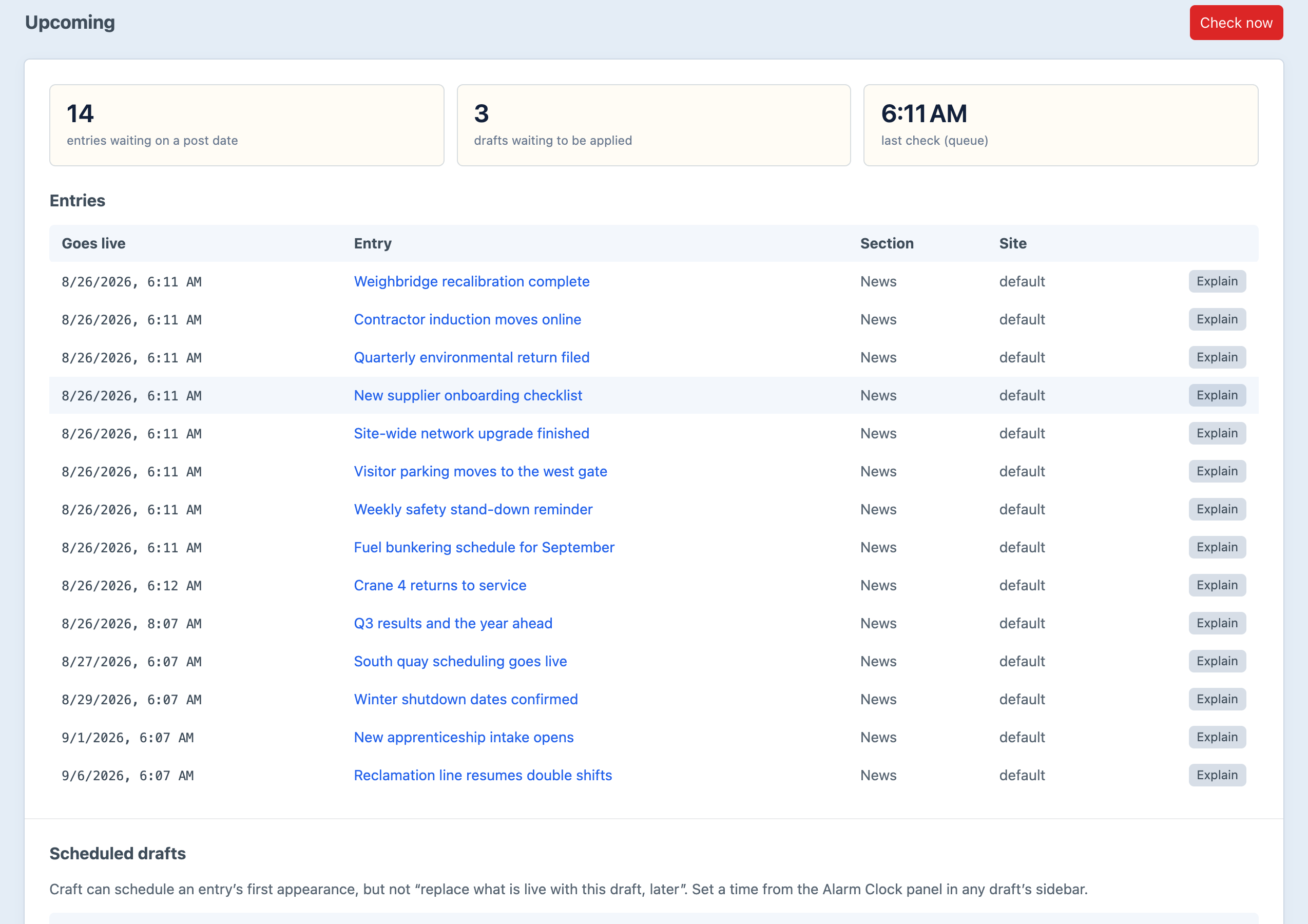
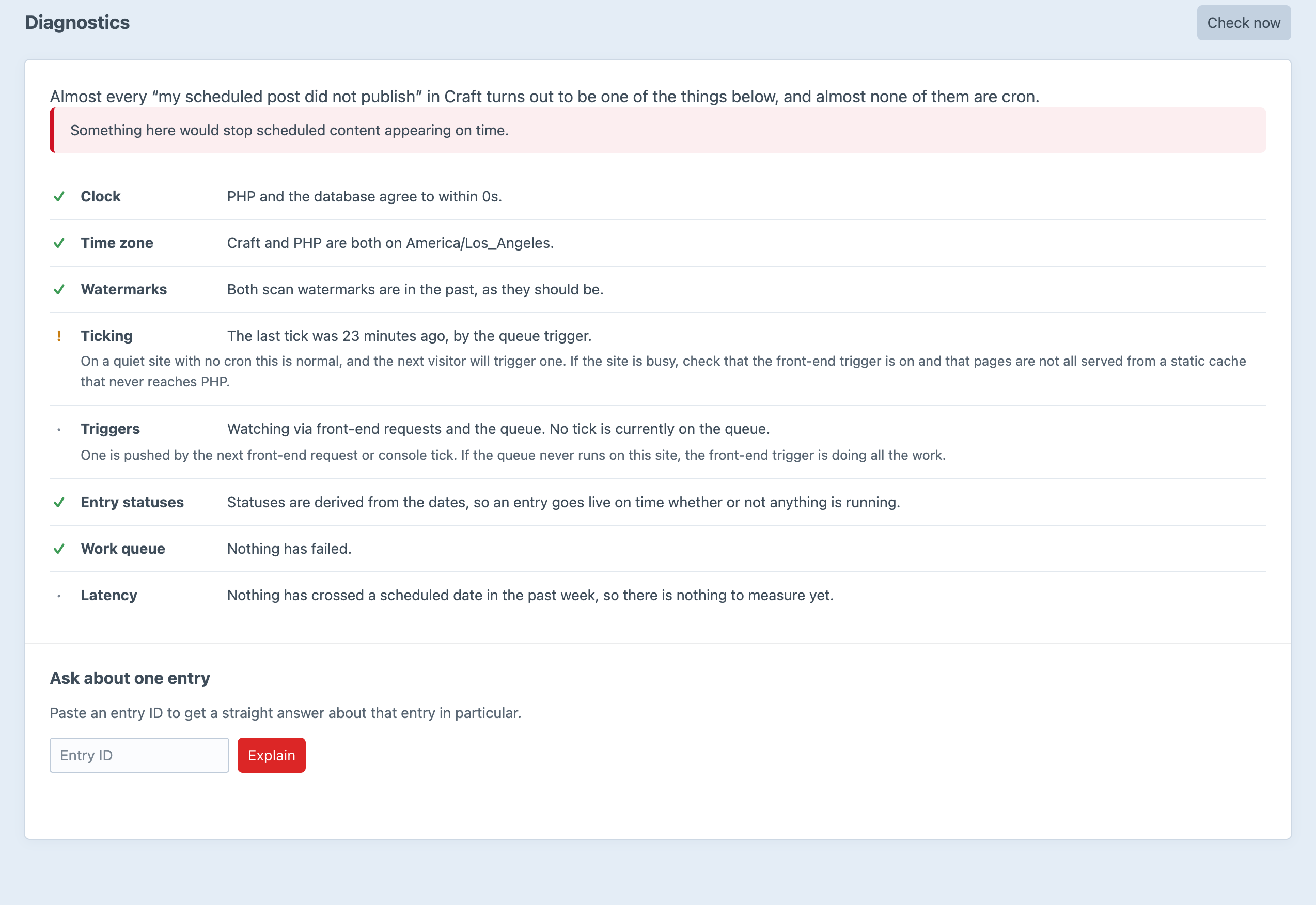
Screenshots from a live install, not mockups.
Frequently Asked Questions
The questions worth answering before you install it.
Almost never. Entry status is derived in SQL from postDate and expiryDate, so an entry becomes live the instant the clock passes it, cron or no cron. What Craft misses is that it happened — no event fires, no cache is invalidated and nobody is told, because no row changed. The one real exception is a site running with the staticStatuses setting, where the status is a stored column; Alarm Clock detects by dates rather than by status, so it sees those too and resaves them.
Usually a cached page. Craft caps a {% cache %} block at the soonest getExpiryDate() of the elements it rendered, and that returns only expiryDate, never postDate. A pending entry is returned by no live query, so it contributes neither a tag nor an expiry to the pages that will need to change. Alarm Clock makes the one call Craft never makes for a time-based change.
Yes — free, single edition, and everything is switched on. There is no Pro tier, no key to enter and no feature held back. It ships under the Craft License, the standard Craft Plugin Store licence, rather than MIT.
No. The front-end trigger is on by default and works on any host that serves a page. Use cron if you have it: it is exact, it costs your visitors nothing, and it keeps working on a site nobody has visited since yesterday.
Yes, and on a host you are unsure about that is the intended configuration. A unique index on (elementId, siteId, transition, scheduledFor) makes a crossing act exactly once however many triggers notice it. The database enforces that, not application code — three PHP processes checking-then-inserting is not something application code can make safe.
No. It hangs off Response::EVENT_AFTER_SEND, so it runs after the bytes have gone out, releases the connection with fastcgi_finish_request() where the SAPI allows, and is bounded twice over — at most three tasks and at most three seconds of them by default. Whatever does not fit is left for the next tick.
Nothing. The install migration primes the scan watermarks to now, so the first tick looks forward rather than backwards. Without that it would decide every entry ever published had just crossed and mail your entire archive to the editorial team.
Craft’s own template caches, yes, automatically. Anything in front of Craft is not something invalidateCachesForElement() can reach — use the webhook. It is the deliberate extension point, which is why there is no per-service integration to configure and keep up to date.
Yes, and it is the one genuinely missing Craft feature the plugin adds. Set the time from the draft’s own sidebar, or from the console with alarm-clock/schedule/draft.
Nothing. Alarm Clock records what your content did, never what your visitors did. There is no visitor identifier, address, session or event row anywhere in it.
Craft CMS 5.3+ and PHP 8.2+. No runtime dependencies.
Free, and everything is switched on
One composer command, no licence key, and it starts working on the next page view — with or without cron.



