Lite free · Pro $149
Recombee, wired into Craft
There is no Craft plugin for Recombee, so the work a site would otherwise have to do by hand is all of it: signing requests, modelling the catalog, keeping it current, tracking interactions, resolving recommended IDs back into elements, and attributing interactions to the recommendations that caused them. Bee is a source you configure and one Twig tag you write.

One source, one tag
Configure which elements become Recombee items, then loop the result. The calls hand back Craft elements, already loaded, in Recombee's order — not IDs you have to go and resolve. Everything in between is the plugin.
{# Personalised for this visitor #}
{% for product in craft.bee.recommend({ count: 6, scenario: 'homepage' }) %}
  <a href="{{ product.url }}">{{ product.title }} — {{ product.price|commerceCurrency }}</a>
{% else %}
  {# An empty set is a normal answer. Always have a fallback. #}
  {% for product in craft.commerce.products.limit(6).all() %}…{% endfor %}
{% endfor %}

{# Related to this one, and personalised at the same time #}
{% set related = craft.bee.related(product, { count: 4, scenario: 'product-detail' }) %}

{# Recombee's own search — per-user, so two people get different orders #}
{% set results = craft.bee.search(craft.app.request.getParam('q'), { count: 24 }) %}Features
Everything between Craft and Recombee, and none of it yours to write.
A source is three answers
Which elements feed the recommender, which of them count, and what Recombee is told about each. Sources live in project config, so they travel with a deploy rather than being re-clicked in every environment.
- Entries, categories, assets, users, products and variants
- Live elements only — unpublished items are removed, not left behind
- Twenty built-in mappers, and Twig for anything they miss
A sync that costs nothing
A content fingerprint per element and site means re-syncing an unchanged catalog sends nothing at all. Element saves are collected and flushed into one queue job at the end of the request, so a bulk resave of ten thousand entries is one job rather than ten thousand.
- Requests batched, and each sub-result read back individually
- Safe to put in a deploy script — no changes, no HTTP
- A payload preview built by the same method the sync uses
The funnel, recorded
A recommender is only as good as what it has watched people do. A dependency-free runtime records detail views with real dwell time, Commerce's order funnel becomes purchases and cart additions, and everything else is a one-line call.
- The visitor is resolved server-side, never off the request
- Guest history is merged into the account they sign into
- Consent is read from a cookie before anything is sent
Which rail earned it
Recombee can report click-through and revenue per scenario, but only if the interactions that follow a recommendation carry the recommId that caused them. Bee writes every set it hands out to a ledger and stamps the interactions automatically.
- Nothing to thread through your cart templates
- A purchase two pages later is still attributed
- The ledger prunes itself on a retention window
Nothing takes a page down
Recommendations render into pages and interactions fire during checkout, so every path fails open: an empty set, a logged reason, a page that still renders. Recommendation requests use a short timeout and no retries at all.
- The catalog sync is the only thing that retries — it runs in a queue
- Nothing visitor-specific is written into a page, so caching survives
- An empty set is the correct answer for a brand-new visitor
Provable in a deploy
Eleven checks, the same ones the control panel runs, exiting non-zero so a pipeline can stop on a misconfigured region before anyone notices that the recommendations went quiet.
- Every declared property, checked against the database for type drift
- A connection log with payloads and never a credential
- A dry-run switch that logs every request without sending it
Bee in the control panel
The catalog and its sources, the diagnostics board the console command mirrors, and a connection log that records every request Bee has made.
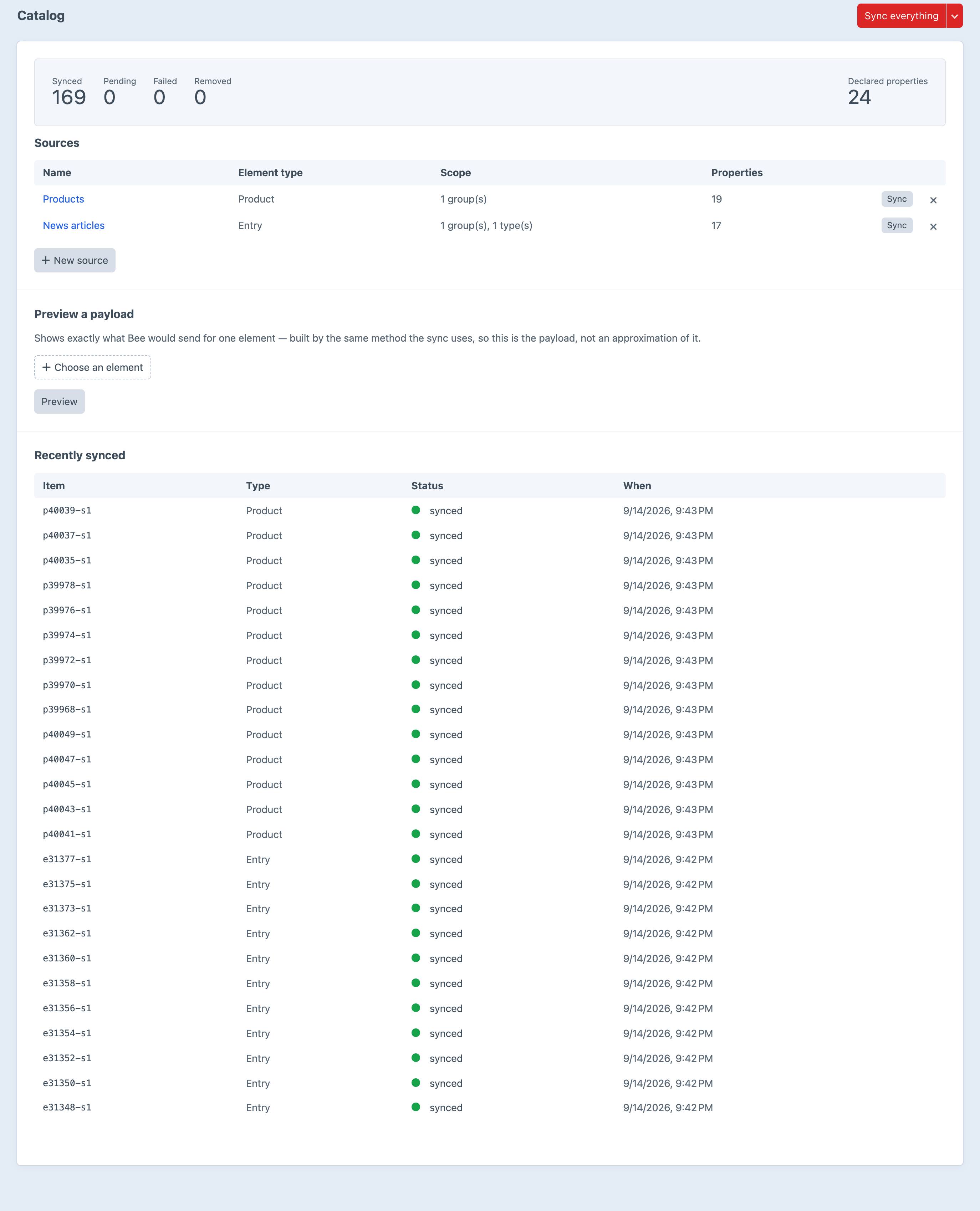
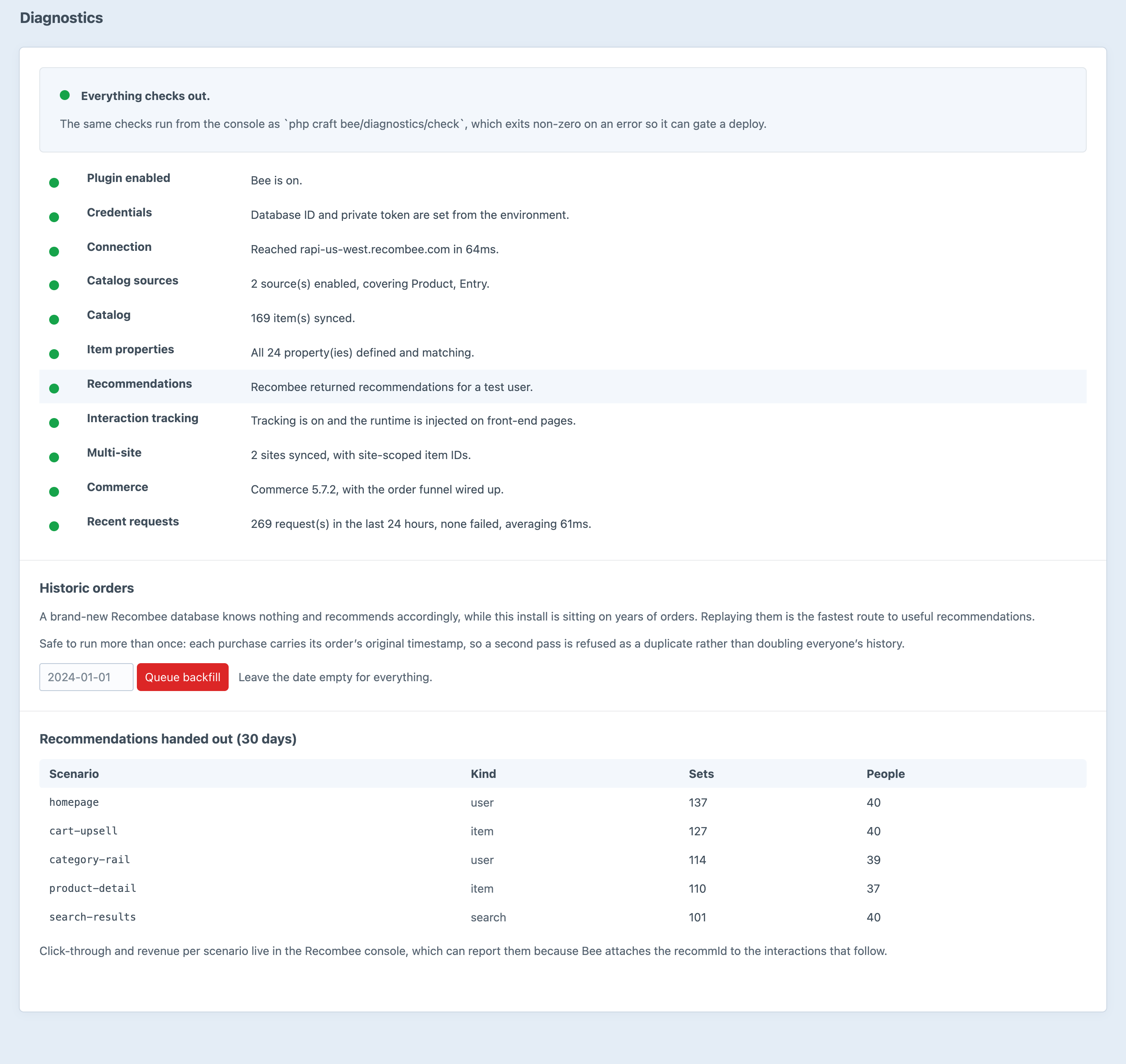
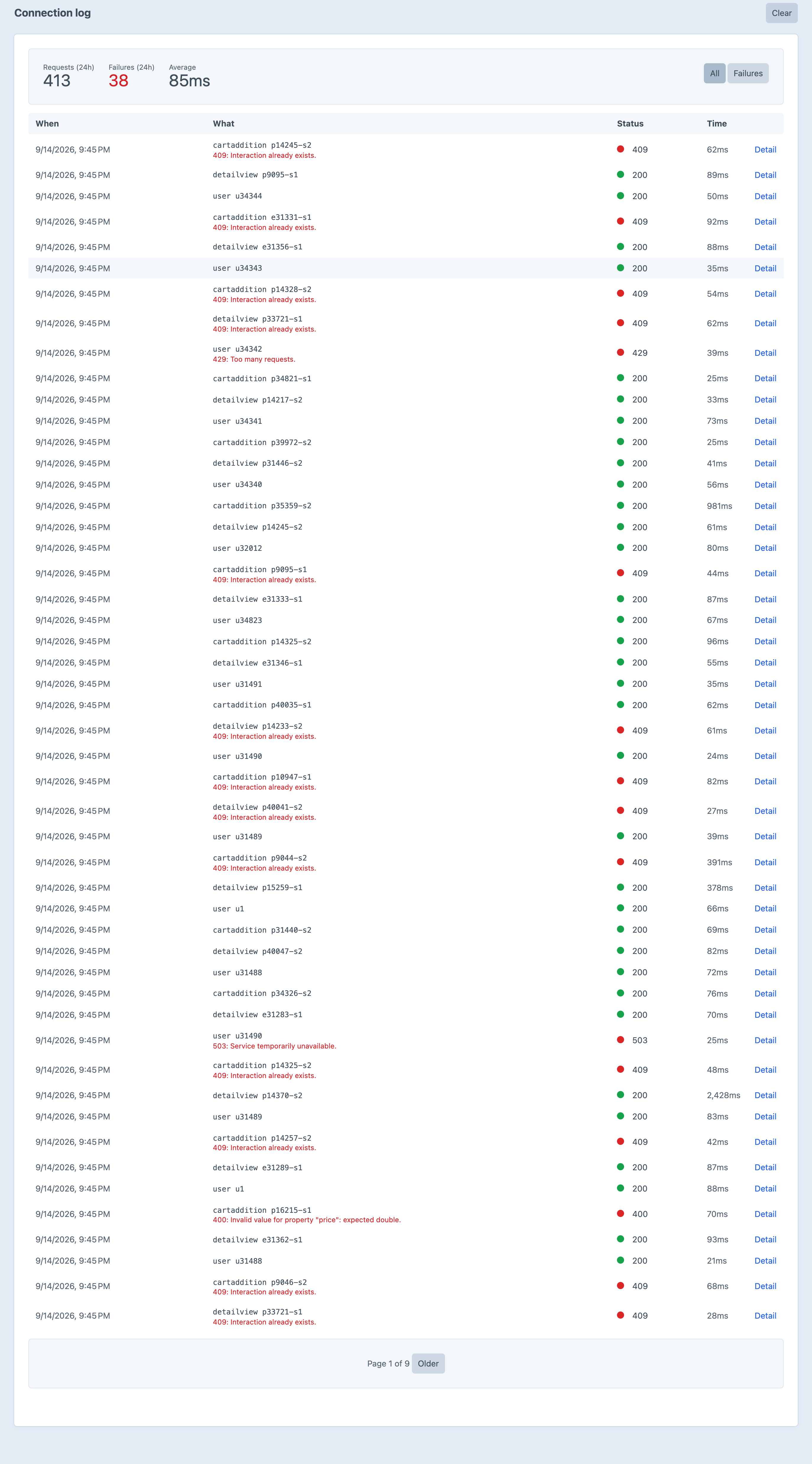
Screenshots from a live install, not mockups.
Frequently Asked Questions
The questions worth answering before you install it.
You need one — Bee is the integration, not the recommender. Recombee does the modelling and the ranking; Bee does everything between it and Craft: signing, the catalog, the funnel, resolving IDs back into elements, and the attribution that lets Recombee report which rail earned an order. You create a database at recombee.com, paste its ID, private token and region into the settings screen, and the diagnostics screen tells you whether it worked.
Lite is, and it is not a trial. Catalog sync across every element type, detail views and purchases, recommend-to-user and recommend-to-item, the whole Twig API with element resolution, the connection log, diagnostics, dry run and the payload preview — for nothing. Detail views and purchases are the pair that make a recommender work at all, so that is a working integration rather than a demo. Pro is a one-off $149 with a $59/year renewal.
It renders. Recommendation requests use a short timeout and no retries — a page render must not wait through a retry ladder — and a failure returns an empty set and logs the reason, so your template falls back to whatever it falls back to. Interactions fail the same way: they return false and log, because they fire during checkout and a checkout must not care.
No, with one deliberate exception. Nothing visitor-specific is written into a page: the runtime's config is page-specific, consent is read from a cookie by the runtime rather than the render, and the guest cookie is minted by the tracking endpoint. The exception is craft.bee.recommend(), which is personalised — so the fragment around it should not be cached. Everything else can be.
Server-side, always. A logged-in user is their Craft user; a guest gets a signed first-party cookie minted by the tracking endpoint. The identity is never read off the request, which is what stops a stranger recording interactions as somebody else. When a guest signs in or checks out, the two are merged in Recombee, so the history they built before signing up is not thrown away.
No. Commerce is optional and Bee picks it up if it is there. On a content site the catalog is entries, categories and assets, the funnel is detail views and searches, and the recommendations are related articles. Install Commerce later and the order funnel wires itself up. Everything Commerce lives in one service, so a content-only install never loads a Commerce class.
Yes, and you should — a brand-new Recombee database knows nothing while your install is sitting on years of orders. php craft bee/interactions/backfill replays them as purchases at their original timestamps. It is safe to run twice: Recombee keys interactions on user, item and timestamp, so a second pass is refused as a duplicate rather than doubling everyone's history.
Nothing. The Recombee client is written against Craft's bundled Guzzle rather than recombee/php-api-client, so the batching, the retries and the connection log are Bee's own and an SDK bump cannot break your site. The front-end runtime is one hand-written ES5-compatible file — there is no build step.
Two ways. The catalog screen has a payload preview for any element, built by the same method the sync uses, so it is the payload rather than an approximation of it. And a dry-run switch logs every request Bee would make without sending any of them, which is the safe way to point a production install at a new database for the first time.
Bee drops back to Lite and keeps running. The catalog stays in sync, detail views and purchases keep being recorded, and the two recommendation calls Lite covers keep answering. The Pro calls return an empty set and say so in the log, so it is never silent — but nothing breaks, and no page goes down.
Point it at a database
Add a source, run the sync, and put one tag on a page. Lite is free and covers the catalog, detail views, purchases and the two recommendation calls that make a recommender work. Pro is $149 with a $59/year renewal, and adds search, segments, the rest of the funnel, the attribution ledger and the historic order backfill.