Free · Craft CMS 5
The code editor field Craft 5 does not have
The last code editor field for Craft, luwes/craft3-codemirror, stopped being updated in August 2022. Since then, code in an entry has gone in a plain textarea, with no colours, no bracket matching and a Tab key that jumps out of the field, or in a rich-text field that mangles it. Kody gives you the field, plus a library for code the whole site reuses and highlighting that needs no JavaScript.

One line in the template
A Code field gives your templates an object, and render() turns it into highlighted HTML. Each option has a plugin default and a field default, and you can override either one in a single render call.
{% if entry.snippet.isNotEmpty %}
    {{ entry.snippet.render({
        lineNumbers: true,
        highlightLines: '4, 7-9',
        filename: 'templates/news/index.twig',
        copyButton: true,
    }) }}
{% endif %}

{# Entries whose field holds Twig #}
{% set twigEntries = craft.entries().snippet({ language: 'twig' }).all() %}Features
The field, the library and the highlighter are designed together, because in practice you need all three.
Monaco in the control panel
This is the editor from VS Code, loaded through nystudio107's CodeEditor library. Authors get Twig and Craft API autocomplete, bracket matching, and a Tab key that indents.
- Per-field language, or let the author pick one
- The editor grows with its content, up to a limit
- Syntax is checked when the entry is saved
A snippet library
Some code belongs to the whole site rather than to one entry. A snippet is an element with a handle, so you fix it once and every page that uses it updates.
- {{ kodySnippet('deploy') }} in templates
- {kody:deploy:render} inside rich text
- A Snippets relation field for authors
Highlighted on the server
PHP tokenises the code, caches the result by content and outputs plain HTML and CSS. Visitors download no highlighter, nothing runs in their browser, and code never appears uncoloured first.
- Works with JavaScript off and in RSS readers
- 46 of 49 languages coloured on the front end
Copying gives you the exact source
Line numbers are drawn with CSS counters and real newlines stay in the markup. Copying a block, or having a screen reader read it, gives you the source character for character.
Language you can query
The code and its language are stored as separate keys, and Craft indexes each one. You can filter or sort entries by language without a LIKE search through escaped JSON.
Safe to evaluate
When a field holds Twig, .eval() uses Craft's Twig sandbox if it is switched on. If the sandbox is off, it only runs content an admin saved last. Nothing else is evaluated.
Kody in Craft
These are real screens from a Craft 5 install: the field on an entry, the snippet library, and a front-end page where the code was highlighted on the server.
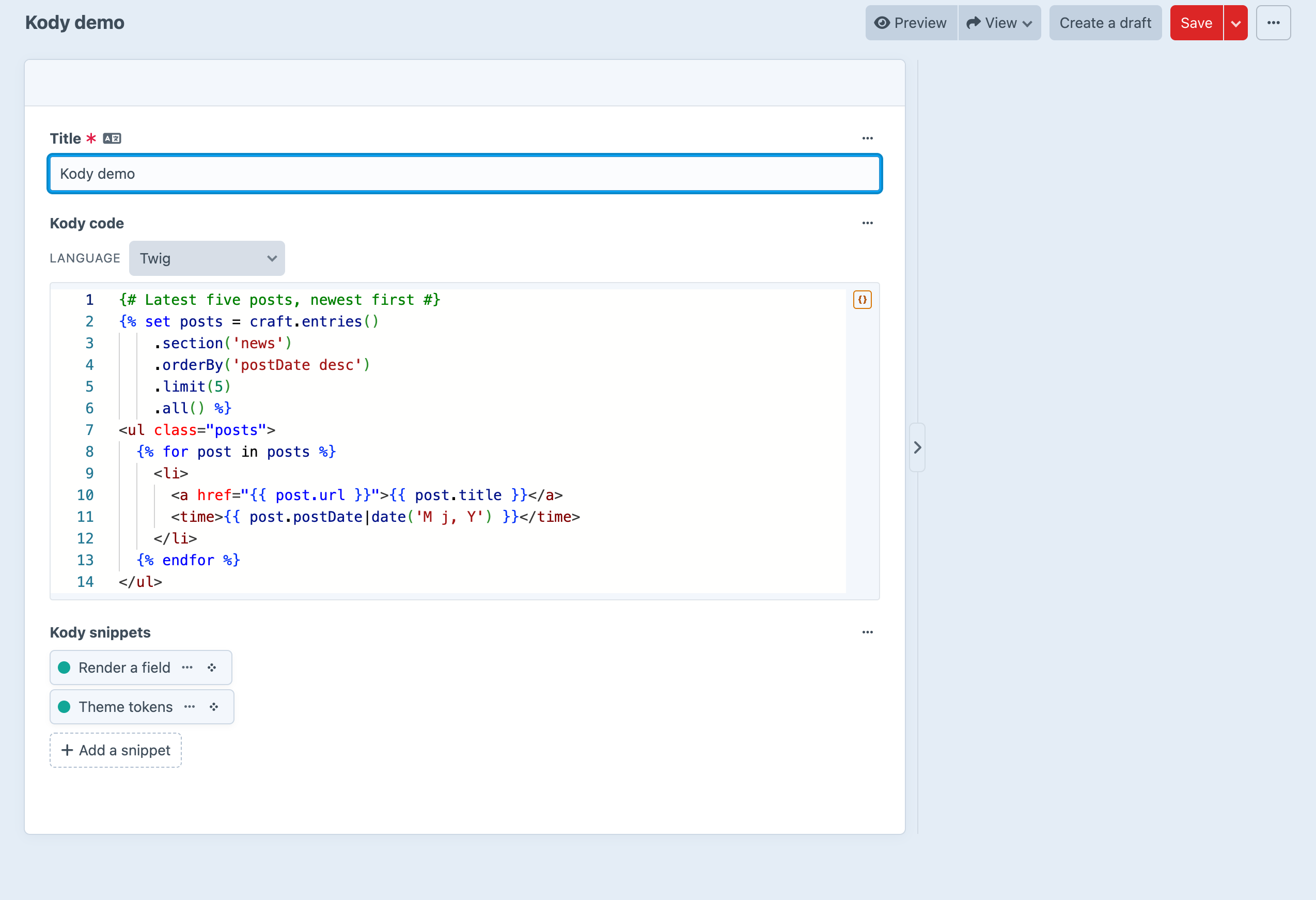
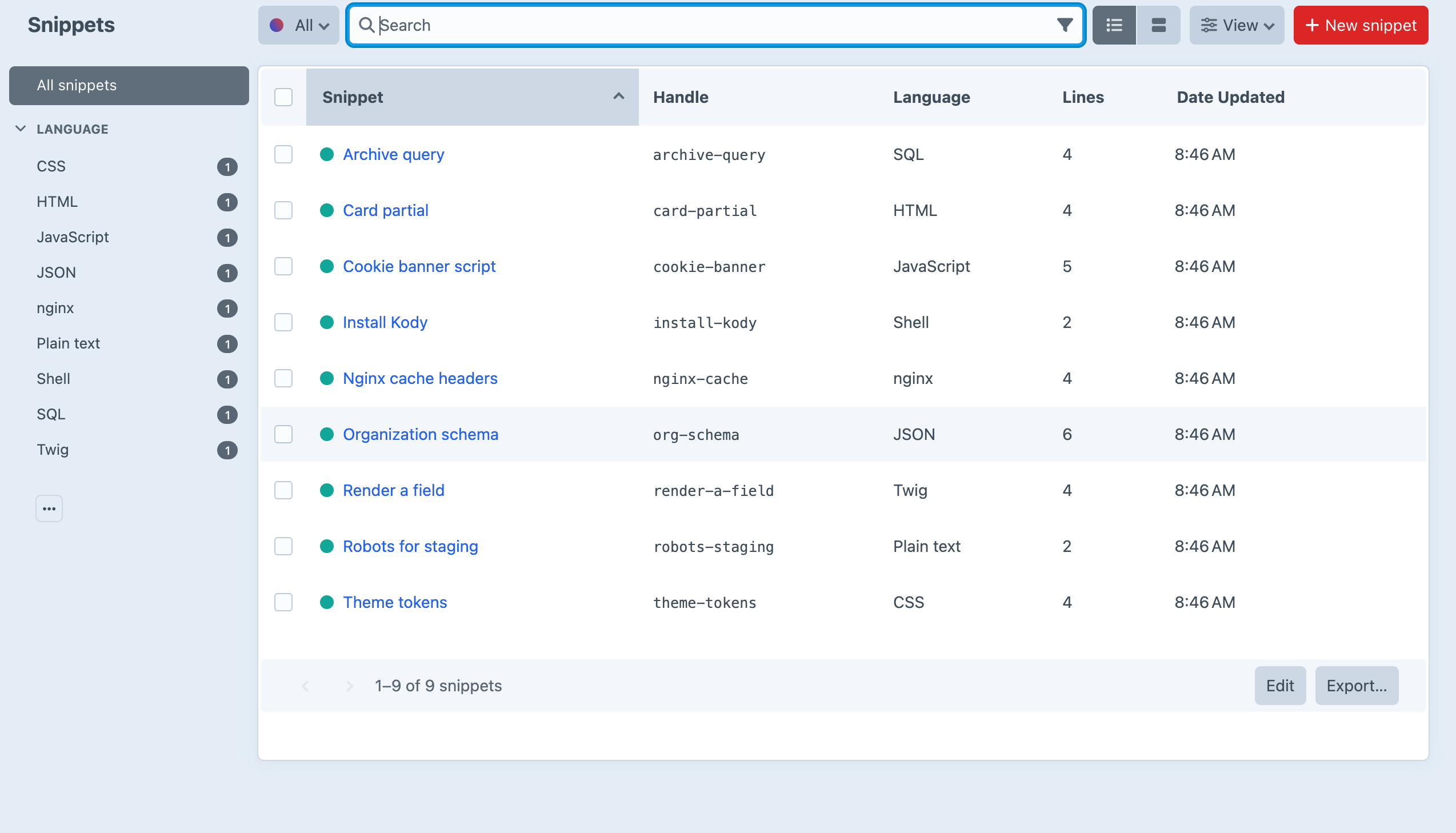
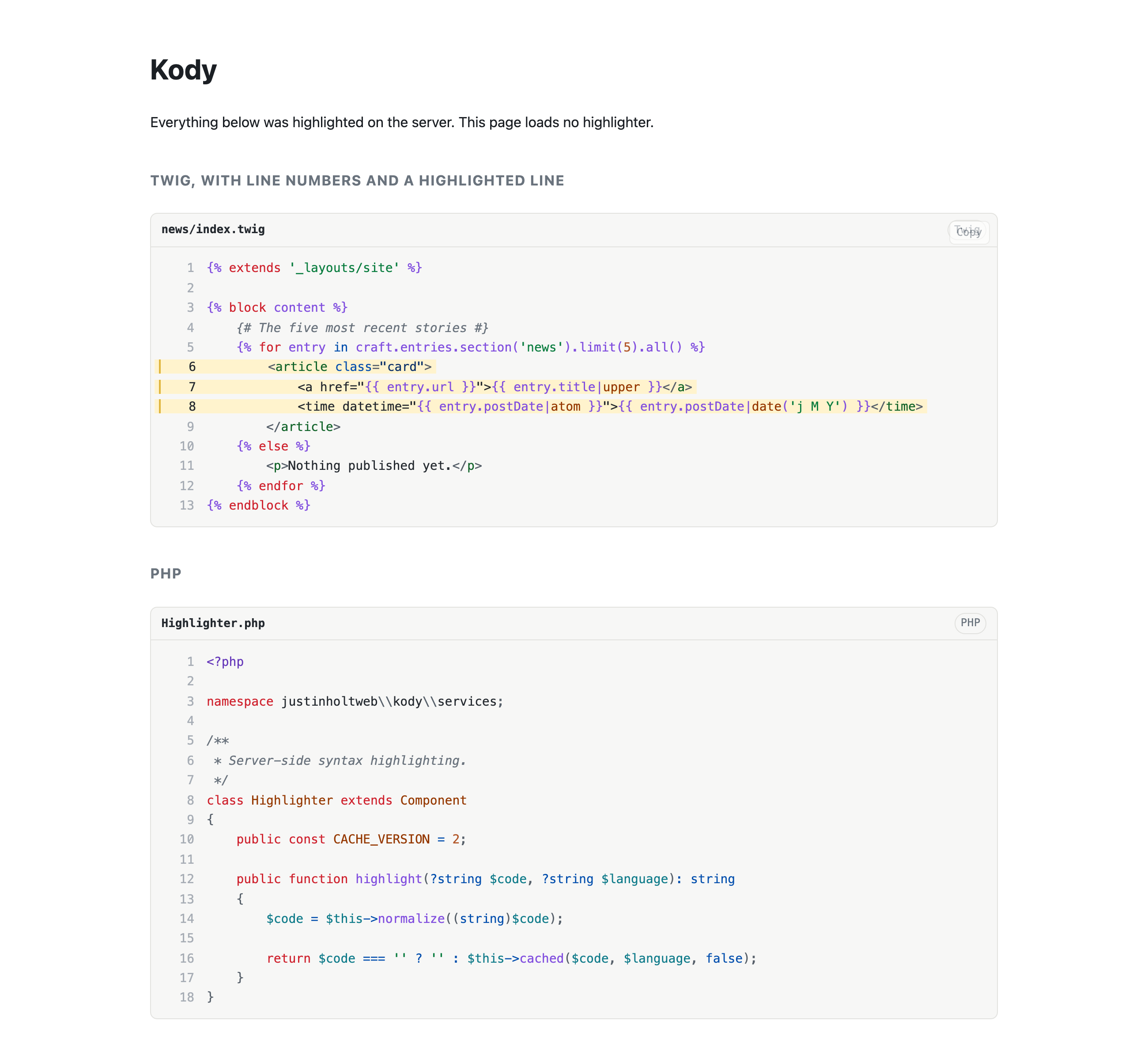
Screenshots from a live install, not mockups.
Frequently Asked Questions
The questions worth answering before you install it.
Yes. There are no editions and no licence key, and the plugin contains no licensing code.
CodeEditor gives you an editor input. It doesn't give you a field type. Kody uses CodeEditor for Monaco and autocomplete, and adds the field, the snippet library and the front-end highlighter.
Only for the copy button, if you turn it on. Highlighting runs in PHP, the result is cached by content, and the page gets plain HTML and CSS.
Because the field returns an object, and an object always counts as true in Twig. Check entry.field.isNotEmpty instead.
Yes. Pass the language as the query parameter: craft.entries().snippet({ language: 'twig' }). The language is stored and indexed separately from the code.
No, on purpose. Code doesn't change between languages. An install command has no French version, and keeping one copy of every snippet per site would only add work.
Craft API completions are for Twig fields. They load when the editor starts in Twig. If you switch a field to Twig after the page has loaded, you get Twig colours but no completions until you reload.
Craft CMS 5.3+ and PHP 8.2+. The Twig sandbox for .eval() needs Craft 5.9+, and without it .eval() only runs content an admin saved.
Stop putting code in textareas
Kody is free, with no editions and no licence key. Install it, add a Code field to a layout, and your next code sample gets a proper editor.



