Free for Craft CMS 5
Hall plans your visitors can actually use
A stand is not a pin on a picture. It is a shape with a size in square metres, it sits inside a hall, it has a number visitors look for, and the exhibitor list has to be able to point at it. Hitz lets you draw the whole venue in the control panel and publish it as a zoomable, searchable plan with one line of Twig.

One call for the whole plan
Labels that appear as you zoom, tooltips, popups, a legend, search by code or exhibitor, and shareable deep links. Relations work both ways, so an exhibitor's page can show the plan with their stand picked out.
{# the floor-plan page #}
{{ craft.hitz.render('spring-fair', { linkField: 'exhibitor' }) }}

{# an exhibitor page: the same plan, their stand outlined and zoomed to #}
{{ craft.hitz.render('spring-fair', { highlight: entry.stand }) }}

{# /floor-plan#hitz=B-07 opens stand B-07 with its popup #}Features
Real units, real elements, and a front end that needs no JavaScript from you.
A designer in the control panel
Draw rectangles, polygons and circles on a plane measured in metres or feet. Snap to the plan grid and to neighbouring stands, drag, rotate, reshape. Every change saves as you let go.
- A refused save puts the shape back where it was
- Disabled areas stay in the designer, dashed, and off the public plan
An underlay you can replace
Put the venue's drawing underneath. Areas are stored in plan units, not image percentages, so a new drawing never moves a stand.
Areas are elements
Halls, stands and features have titles, codes, their own field layouts per area type, search, the trash, per-site titles and Craft's slideout editor.
The boring parts, done
Surface area, dimensions ("6 × 4 m", even rotated), automatic numbering (Hall A → A-01, A-02…) and which hall each stand is in, derived from where it is and re-derived whenever anything moves.
Relations both ways
Hitz Plans and Hitz Areas relation fields, and ordinary relatedTo from either end. Link exhibitors to stands whichever way your content already runs.
Pro: availability and data out
Available, reserved, booked or unavailable, coloured on the map, in the legend and as index sources. GeoJSON import and export, a stands CSV for the sales team, a JSON endpoint for an event app, and console commands.
- GeoJSON round-trips in plan units, upserting by code
- Unlimited plans and areas
Hitz in the control panel and on the page
Real screens from a Craft 5 install: the designer with a stand selected, the published plan with a popup open, and the Areas index.
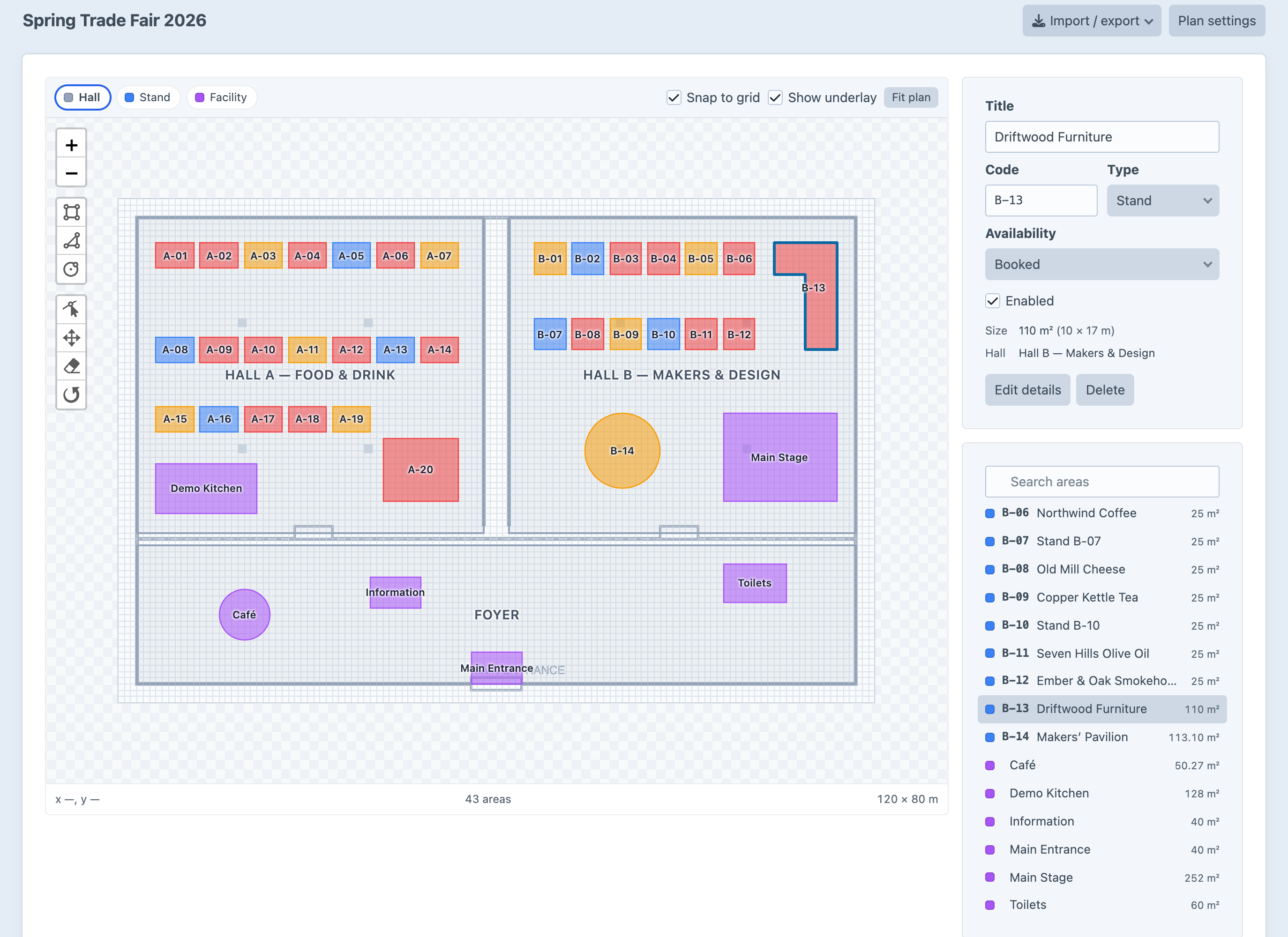
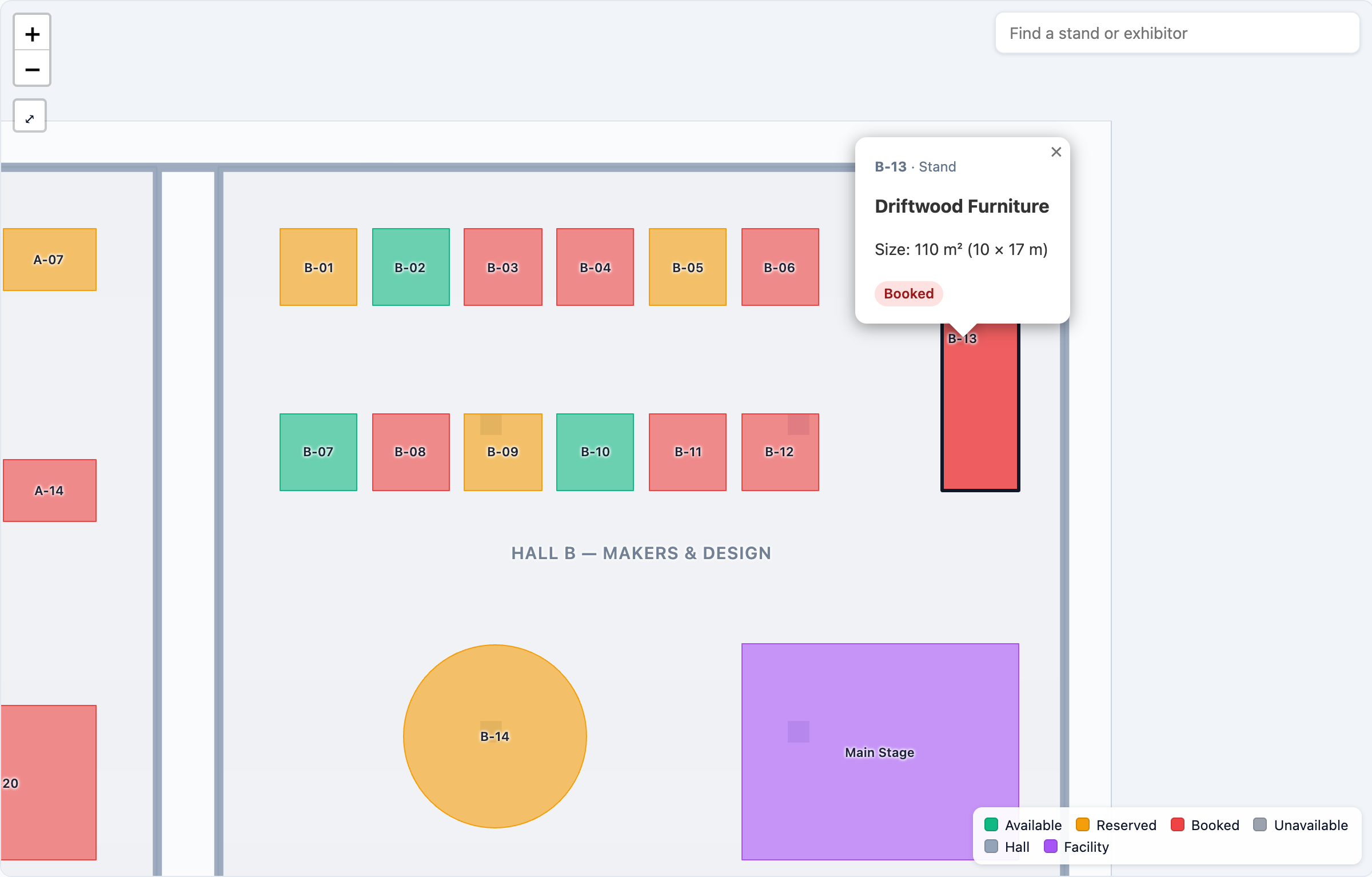
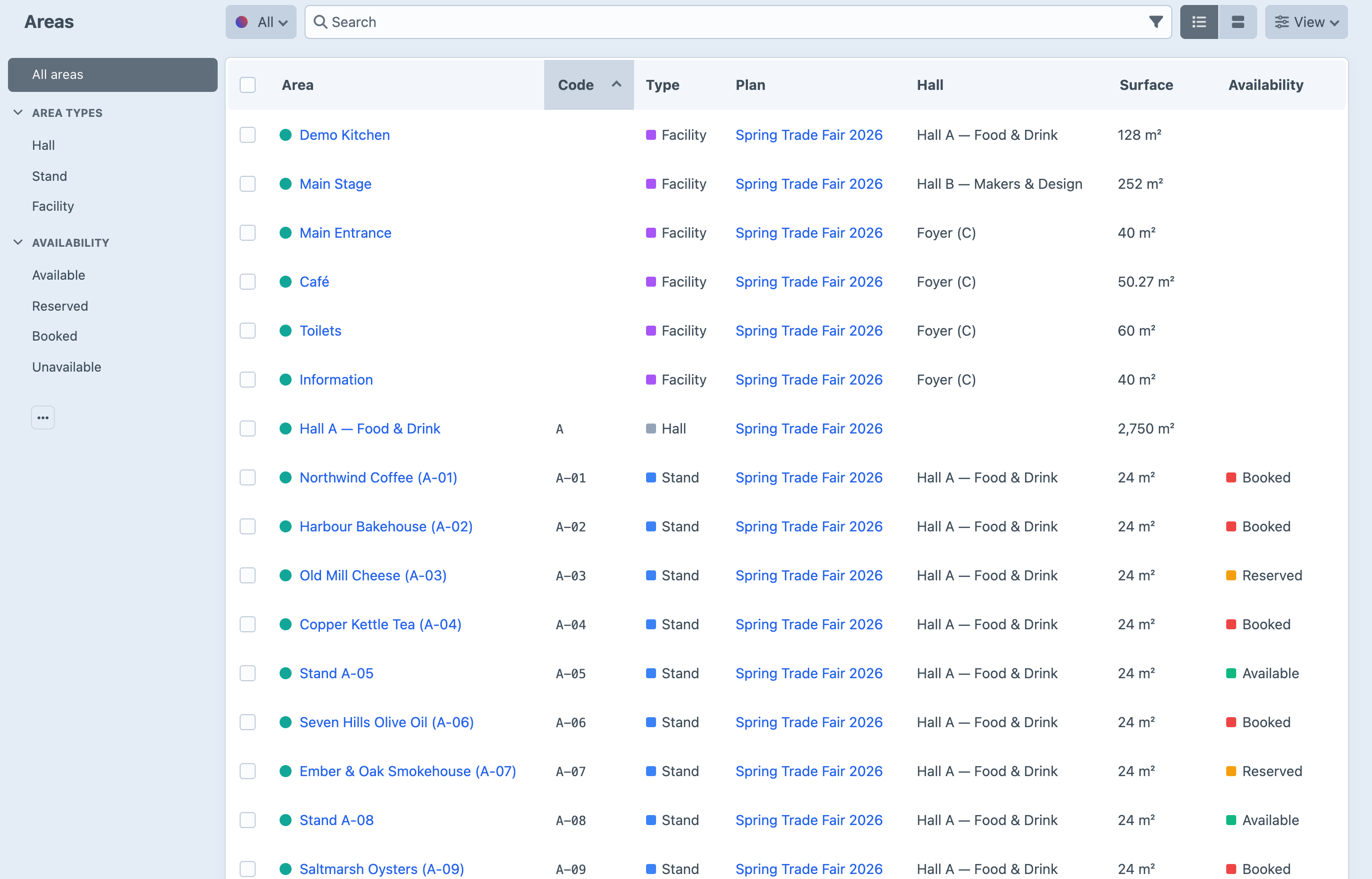
Screenshots from a live install, not mockups.
Frequently Asked Questions
The questions worth answering before you install it.
Lite is: one plan and up to 40 areas, with the whole designer, the front-end map, search, deep links and both relation fields. Pro is $79, then $59/year, and removes the caps and adds stand availability, GeoJSON/CSV import and export, the JSON endpoint and the console commands.
Donkeytail pins points onto an image, positioned as a percentage of it. Hitz draws shapes in real units and makes each one an element: a stand has a size in m², a number, a hall, an availability and its own fields, and an exhibitor can be related to it. Replacing the floor-plan drawing never moves anything.
No. A hall plan is not geography, so there are no tiles and no API keys. Leaflet draws your plan on a flat Cartesian plane, and it ships inside the plugin, with no third-party requests at all.
Make one plan per floor, and link between them. A multi-level plan with a level switcher is on the list for a later version.
Hitz records availability; it does not take payment. Relate stands to Commerce products, or to a form, and set availability from your booking flow. It is one element save.
Export the drawing as SVG or PNG and set it as the plan's underlay, then draw on top, or trace it in QGIS and import the GeoJSON (Pro).
Hundreds comfortably. Areas render as SVG and the whole plan is inlined in the page, so a very large plan (thousands of stands) is better served from the JSON endpoint with a lighter renderer.
Craft CMS 5.3+ and PHP 8.2+.
Start free, upgrade when the fair grows
Lite is free and covers one plan with up to 40 areas. Pro is $79 with a $59/year renewal, and adds unlimited plans, stand availability, GeoJSON/CSV, the JSON endpoint and the console.