Free for Craft 5
Find and replace you can actually watch first
Craft ships a Find and Replace utility. It matches every row of elements_sites with a LIKE, runs str_replace over it and writes the result back with raw SQL — every element type, every site, drafts and revisions included. No preview, no scope, no word boundaries, no undo, and because it bypasses the element save your search index is left describing content that no longer exists. Every part of Scrub is an answer to one of those sentences.

The preview is the run
Not an estimate of what would happen. The same method, the same scan, the same matcher — with one boolean deciding whether the result gets written or thrown away. That is also why the console command previews by default and makes you ask for the write.
# Previews. Writes nothing. This is the default.
php craft scrub/run/replace \
  --find="Acme Ltd" --replace="Acme Inc" \
  --mode=word --sources=section:3

  14 matches in 9 entries, 3 sites
  Homepage › body      …trusted by Acme Ltd since 1994…
                       …trusted by Acme Inc since 1994…

# The same command, asked properly.
php craft scrub/run/replace … --dry-run=0The Replace screen, working
This is the preview, and it is computing for real — type something else, switch the mode, toggle the options and watch the match list and the counts recompute against the sample content. Try 'form' in plain mode and then in whole-word mode; the difference between those two results is the reason whole-word exists.
Search form in plain text, then switch to whole words only:
eight matches become four, because platform, information and
transform stop counting. Search widget with case sensitivity off and
keep the original capitalisation on, and one rule handles widget,
Widget and WIDGET at once. Or switch to a regular expression and try
(\d{4})-(\d{2})-(\d{2}) replaced with $3/$2/$1.
The count under the toolbar is what a run would change. Past maxUnitsInPreview the real screen stops listing and starts counting, so a run across four thousand entries still tells you the total.
And after you press Replace
The demo above is the preview. These are the three screens that come after it — real screens from a Craft 5 install with Scrub on Pro, not mockups.
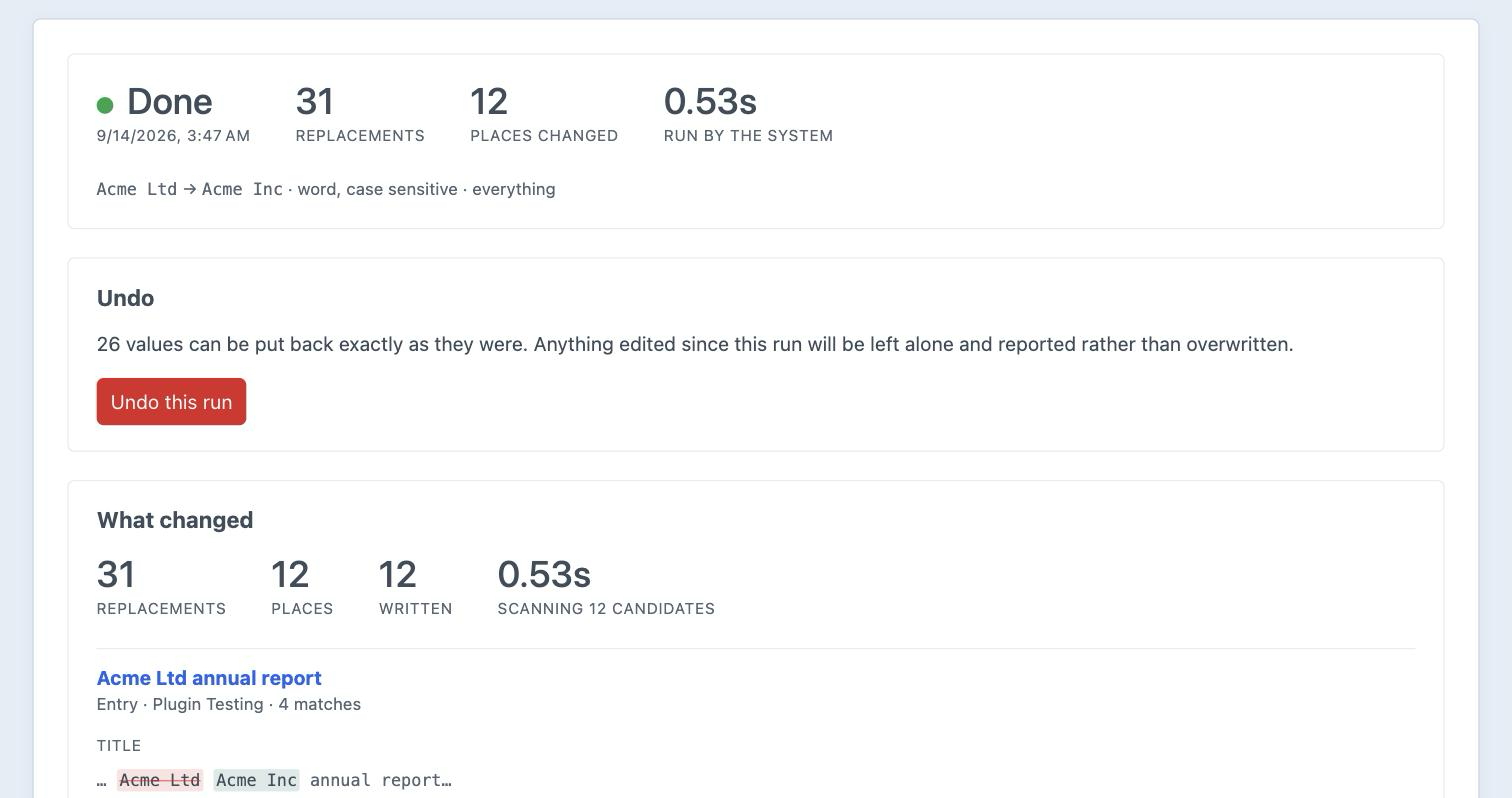
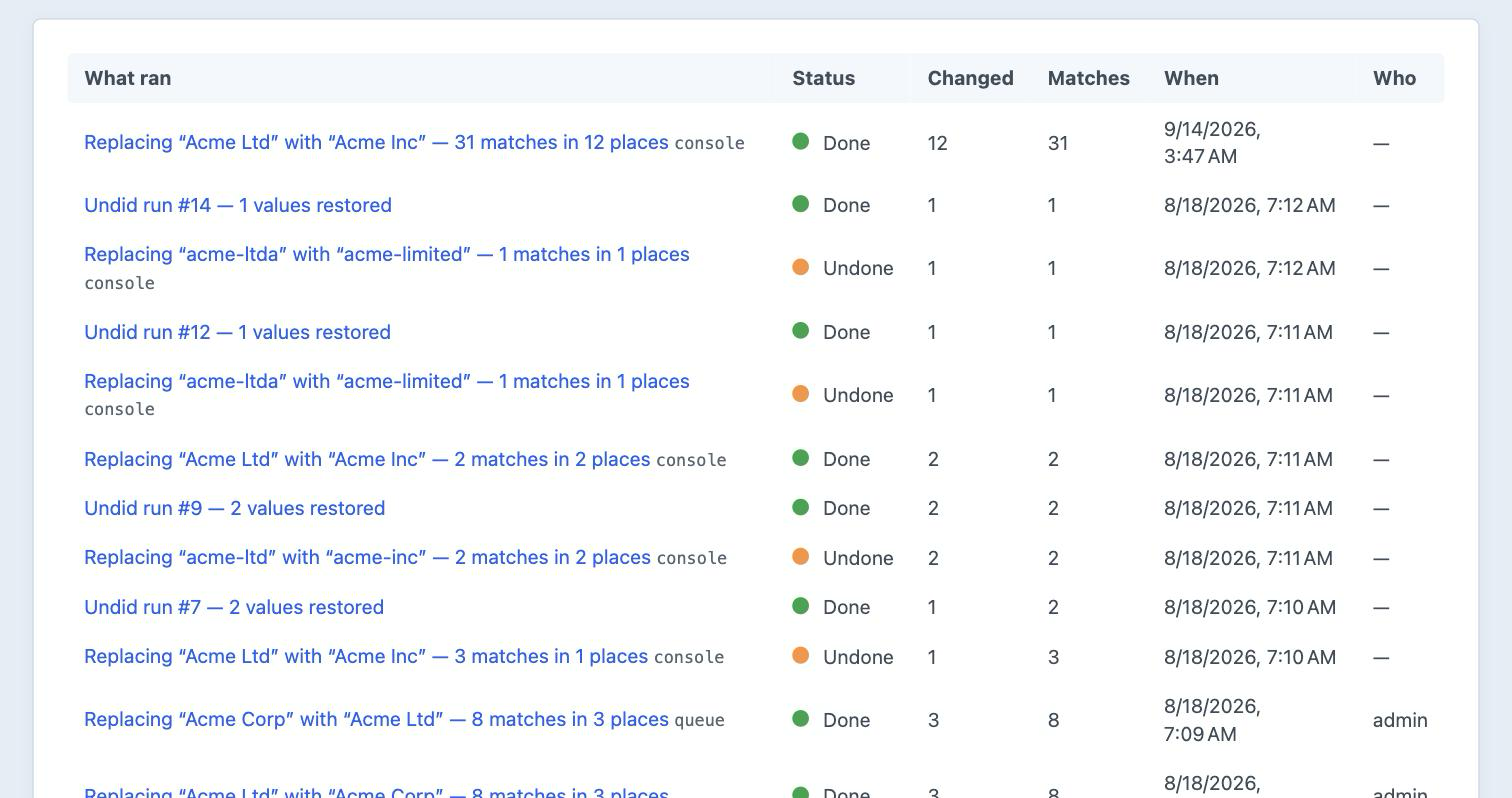
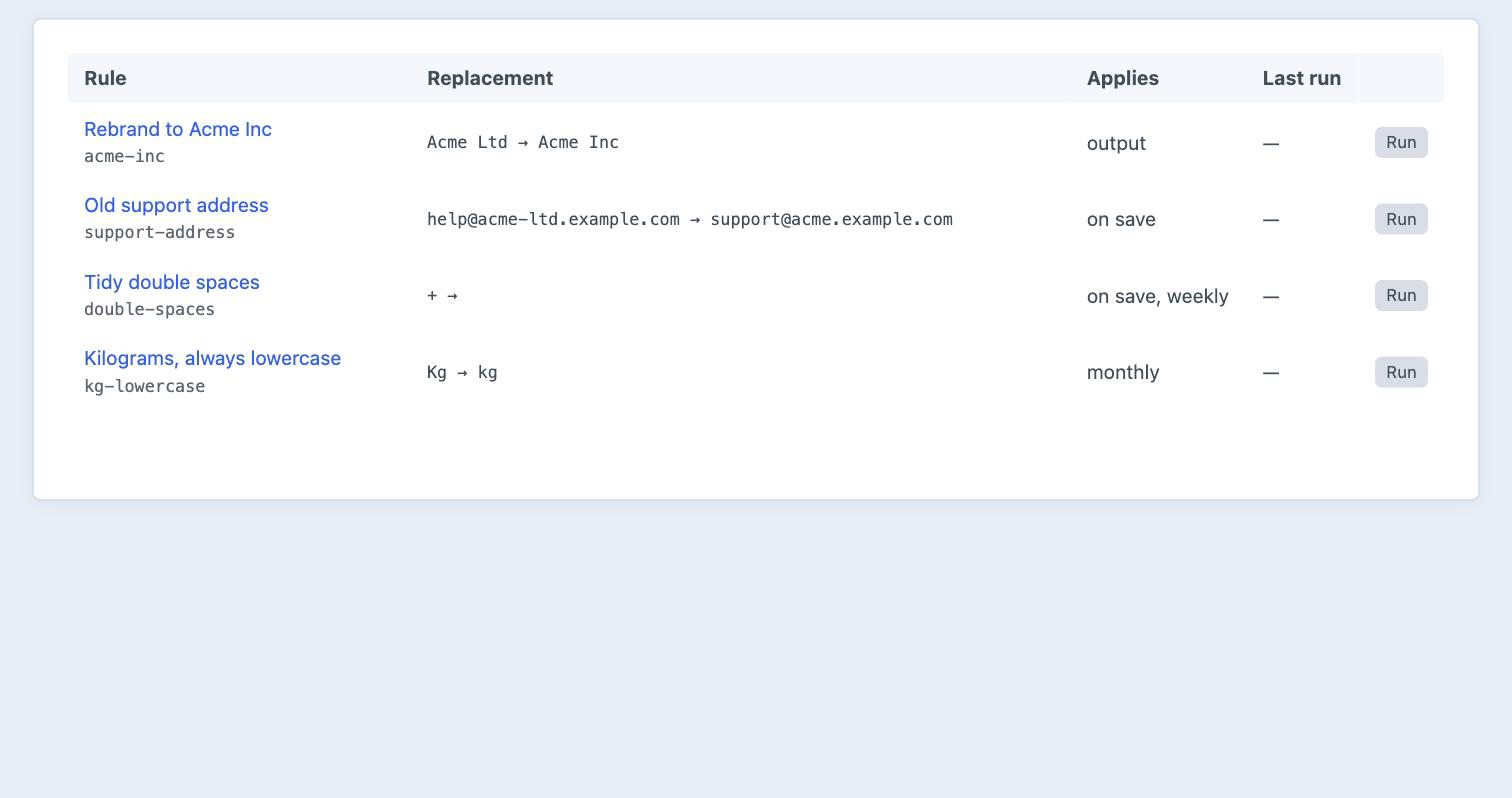
Same run in all three: 31 matches in 12 places, previewed, written, and then put back.
Features
A scanner with guardrails, a matcher that knows what a word is, and a ledger that can put it all back.
A preview you can trust
Preview and run are one method with one boolean between them, so what you are shown is the run with the last step skipped. Each match appears in context, old and new side by side.
- Lists every place, then counts the rest
- A mis-scoped rule is obvious before anything is written
Stops where you tell it to
Sections, volumes, groups, entry types, individual fields, specific sites, or an explicit list of IDs. Drafts, revisions and trashed elements are excluded until you ask for them.
- Protected fields and sources are enforced by the scanner, so the console obeys them too
- Rewriting a revision does not correct history, it falsifies it
Matches the way you meant
Plain, whole words only, or a regular expression with capture groups. Case sensitivity is yours to choose, and a case-preserving replacement handles widget, Widget and WIDGET from one rule.
- Case preservation works word by word, so Acme Ltd becomes Acme Inc rather than acme inc
- You never escape delimiters — Scrub picks one that is not in your pattern
Undoes itself, carefully
Every changed value is stored before and after, and undo restores the stored original rather than running the replacement backwards. It refuses anything edited since the run and tells you which ones it skipped.
- A database restore cannot do this — it discards every edit made in between
- Which is why nobody ever actually uses one
Writes properly
Elements are saved, so the search index updates, caches invalidate, afterSave fires in every plugin listening and entries get a revision. There is a fast path for very large sites, and it queues the re-index Craft's own utility forgets.
Rewrites output without touching the database
Real-time rules apply as pages render, so nothing stored changes and turning the rule off is the undo. The replacement is HTML-aware, which means class names, hrefs and attributes survive it.
- For the rename legal has not signed off yet
- Costs nothing when unused — the hook is never attached if no real-time rule exists
Frequently Asked Questions
The questions worth answering before you install it.
Lite is, and it is not a trial. The preview, the scoping, the run history, the undo, the console command and slug rewriting are all in the free edition, with no limit on how much you replace. Pro is a one-off $99 with a $79/year renewal, and adds regular expressions, case-preserving replacement, saved rules, real-time and on-save rules, asset filenames and alt text, and rewriting other database tables.
Craft's utility selects every row of elements_sites matching a LIKE, runs str_replace over it and writes it back with raw SQL — every element type, every site, drafts and revisions included. There is no preview, no scope, no case handling, no word boundaries, no regular expressions, no undo and no record that it ran. And because it bypasses the element save, your search index is left describing content that no longer exists, with nothing to tell you. Scrub answers each of those; that is the entire design brief.
It is the run with the last step skipped — same method, same scan, same matcher, one boolean different. It is not a separate, cheaper code path that can disagree with what happens, which is the usual reason a preview misses the place you forgot existed.
It can change a lot of content quickly, which is what it is for. The defaults are arranged so that doing so by accident is hard: the preview shows the real result first, a run refuses past 5,000 places, drafts and revisions are excluded, elements are saved properly, and every change is recorded. The genuinely dangerous combination is fast write mode with undo recording off and the ceiling removed — all three have to be turned on deliberately.
In safe mode yes, because the element is saved normally. In fast mode the index would go stale, so Scrub queues the re-index. Craft's own utility does neither, which is the failure nobody notices until search starts returning pages that no longer say the thing.
Rewriting what a page shows without changing what is stored. A rename that is not signed off yet, a supplier's name that is wrong in four thousand old posts, a phone number you do not want to touch nine years of archives to fix. Nothing in the database changes, so turning the rule off is the undo.
Not measurably, and not at all when you are not using them. The render hook is only attached when the edition is Pro, the feature is enabled, and at least one real-time rule exists — on a site with none, a front-end request never reaches Scrub's code. The active rule list is cached, so there is no per-request query.
Not unless you ask. A revision is the evidence of what the page said before, which is exactly what you want if the rename turns out to have been wrong. Rewriting it destroys that.
Yes, in the free edition, through the slugs target. It is off by default and opt-in per run, because rewriting a URL that something out there links to is not a thing to do by accident.
In Pro. Declare the table, its primary key and its text columns in config/scrub.php. Only listed columns are ever read or written, and an undeclared table is not reachable from the Replace screen at all — it is an allow-list, not a filter.
Yes. A target is three methods: hand Scrub the text, take the changed text back, say which edition it needs. Implement them and you get preview, undo, history, scoping, the console command and the run ledger for free.
Whoever you grant it to. Previewing and running are deliberately separate permissions, so an editor can be trusted to look without being trusted to write. Undoing a run, managing saved rules and rewriting database tables are three more.
Craft CMS 5.0+, PHP 8.2+, and MySQL 8.0 / MariaDB 10.5 / PostgreSQL 13 or later.
Start free, upgrade when you need to
Lite is the whole find-and-replace tool: preview, scope, history and undo, for nothing. Pro is $99 with a $79/year renewal, and adds regular expressions, case-preserving replacement, saved rules, real-time and on-save rules, asset and database targets.



