Free · Craft CMS 5
Counts what people actually read
Put a page cache in front of a site and Craft renders each page once, so a view counter quietly starts counting cache misses. Odometer counts either way — while Craft renders, or through a signed beacon the browser fetches — and stores nothing about the person reading.

Features
Pageviews by day, week, month and lifetime, a trending list, a widget and a signed tracking image — what the abandoned Views Work plugin did — plus what turned out to be missing once it was gone.
Counts that survive a page cache
Automatic mode counts while Craft renders the page. Beacon mode is for a site behind Blitz, Varnish or a CDN: the page carries a token, the browser fetches one tiny URL marked no-store, and Craft counts it there — so the reader who got the cached copy is counted too.
- A 1×1 image that counts readers with JavaScript off, or a script that skips prefetched pages
- Added to front-end pages automatically, or placed by hand with craft.odometer.beacon(entry)
- The script reads its URL from a data attribute, so no unsafe-inline in your CSP
Signed, so it means one thing
A beacon token names exactly one element, one site and one counter, and is signed with the site's security key. Without that, the endpoint would be “increment any number you like by id”. With it, nobody can ask for a count on something they were not reading.
- Never expires by default — on a cached site the token lives in HTML that may be served for weeks
- Robots, ignored addresses and the repeat-view window still apply to every beacon request
Popular and trending are element queries
craft.odometer.popular() and craft.odometer.trending() return an ordinary element query with the ledger joined in, so section filters, statuses, eager loading, search and pagination all still work — and limit: 5 returns the actual top five, not five arbitrary entries sorted afterwards.
- Trending weights views by how recent they are, with a half-life you set
- craft.odometer.sort(query) ranks a query you built yourself
- Any period: today, this week, the last 30 days, the last 90
Where editors already look
A sortable Views column on element indexes, selected in one join for the whole page. A panel in the entry sidebar with the lifetime number and thirty days of history, no field layout to edit. A Popular content widget for the dashboard, and a report with a drill-down per element and a CSV export.
- Sorting by Views works even with the column hidden
- A read-only Views field for editors who want the number in a tab
Nothing about a visitor is stored
The ledger holds element ids, site ids, counter names, dates and numbers. No address, no user agent, no user id, no cookie and no row per view. The repeat-view test keeps a keyed hash in Craft's cache for the length of the window and never writes it anywhere.
- Two tables: lifetime totals and day buckets, both cascading from elements
- Retention prunes day buckets and never touches lifetime totals
- Honours Do Not Track and Global Privacy Control
Never costs a page its cache
Asking Craft who the visitor is opens a session, a session sends Set-Cookie, and a page with Set-Cookie on it is never cached again. Odometer only asks once it can already see a session cookie on the request, so an anonymous reader never pays for the “ignore admins” setting.
- Two upserts per counted view and no reads, so concurrent readers never lose each other's views
- Counting catches its own errors — a view counter must never take a page down
The numbers, where you want them
Every element grows an odometer property, and nothing is read until a template asks. Popular and trending hand back element queries, so anything you would chain onto craft.entries chains onto them.
{# Most read this month, in one section #}
{% for entry in craft.odometer.popular({ section: 'articles', period: 'month', limit: 5 }).all() %}
    <a href="{{ entry.url }}">{{ entry.title }}</a>
    <span>{{ entry.odometer.month }} views</span>
{% endfor %}

{# Taking off: recent views weighted by how recent they are #}
{% set trending = craft.odometer.trending({ limit: 5 }) %}

{# One entry's numbers #}
<p>{{ entry.odometer.total }} views, {{ entry.odometer.week }} in the last 7 days</p>
{% set trend = entry.odometer.trend('week') %}
{% if trend is not null %}
    <p>{{ trend > 0 ? '+' }}{{ trend }}% on the week before</p>
{% endif %}

{# Rank a query you built yourself, and keep every filter on it #}
{% set reviews = craft.entries.section('articles').type('review') %}
{% paginate craft.odometer.sort(reviews, { period: 'week' }).limit(10) as pageInfo, entries %}

{# A second, independent counter on the same entry #}
{% do craft.odometer.record(entry, { key: 'downloads' }) %}
{{ craft.odometer.views(entry, 'all', { key: 'downloads' }) }} downloadsWhat is being read
The report ranks everything with views over any window, per site, with a sparkline on every row and a drill-down behind every title. The same numbers export as CSV.
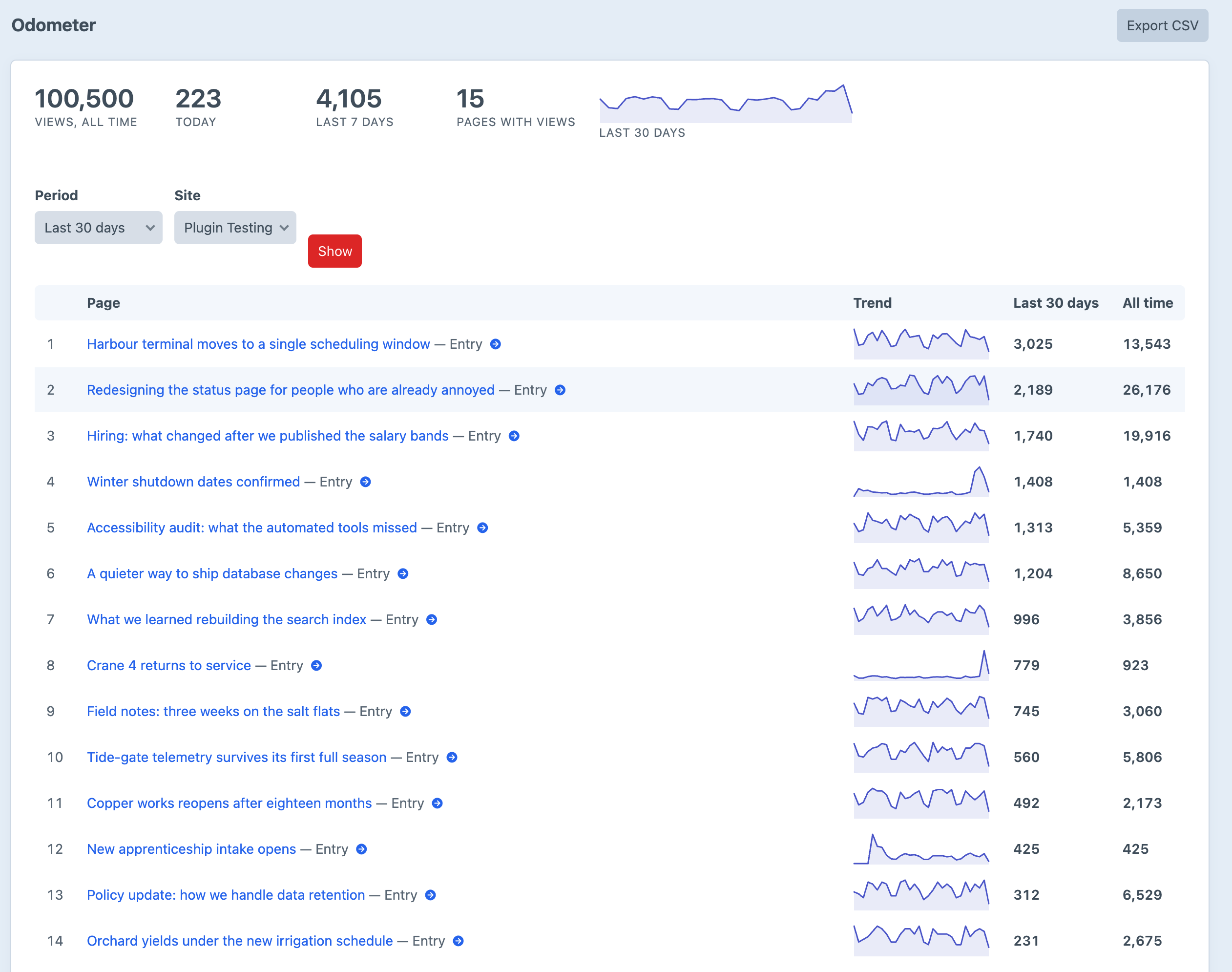
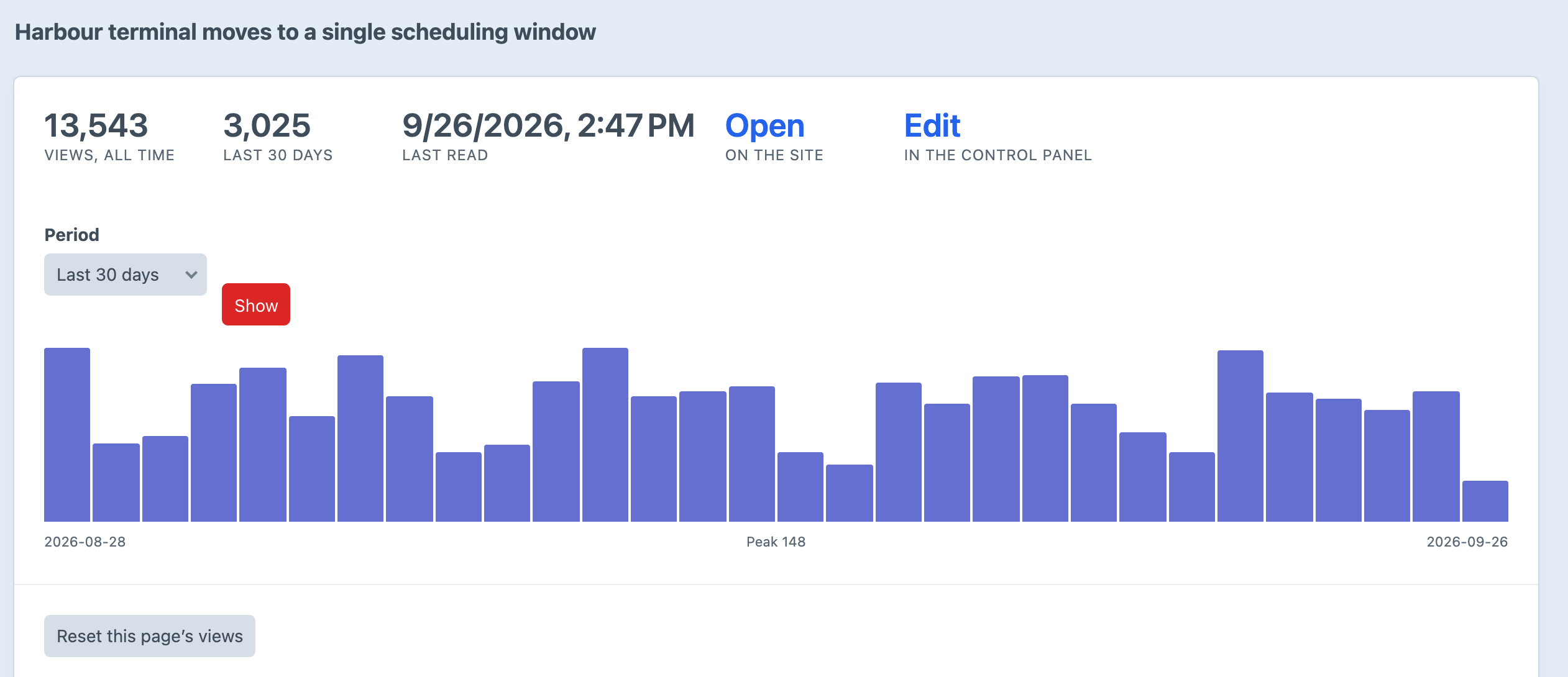
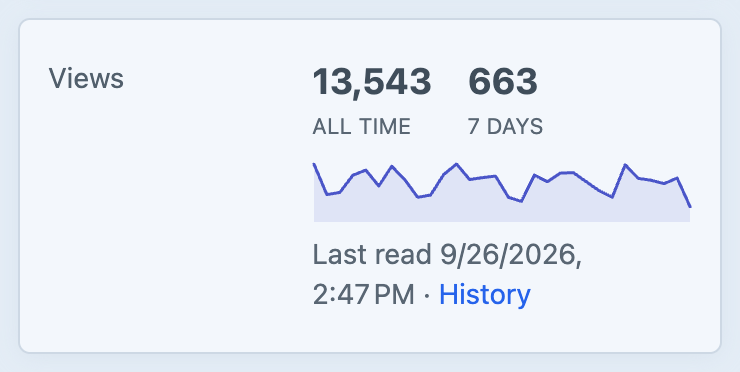
Screenshots from a test install. The counts were seeded so the report had something to show.
Frequently Asked Questions
The questions worth answering before you trust a number on a homepage to it.
No, and deliberately not. There are no sessions, no referrers, no bounce rates, no funnels and no per-visitor anything, because all of that requires keeping records about people. Odometer answers one question — which of these has been read, and how much — which is the question that changes what a site puts on its homepage.
Nothing. The ledger holds element ids, site ids, counter names, dates and numbers. To recognise a returning reader inside the repeat-view window, Odometer hashes the address and user agent with the site's security key and the date, keeps the hash in Craft's cache for as long as the window, and never writes it to the database. There is no cookie.
Yes, in beacon mode — switch How views are counted to With a beacon. Not in automatic mode: with a page cache in front of the site, Craft renders each page once and never hears about the readers who get the cached copy. The count does not break visibly; it becomes the number of cache misses, which looks plausible and is not the number you wanted.
Less than you would expect. It is served from your own domain rather than an analytics host, so the blocklists aimed at third-party trackers do not match it. Nothing is guaranteed: a reader who blocks images will not report an image beacon, and a reader with JavaScript off will not report a script one. The image is the safer default.
Only by being a lot of different visitors. The token is signed and names exactly one element, so nobody can request a count for an arbitrary id, and repeated requests from the same address and user agent inside the repeat-view window count once. Somebody rotating addresses can move a number, as with every view counter. If the number decides a competition or a payout, do not use a view counter for it.
They measure different things and disagree in both directions. Odometer ignores obvious robots, honours Do Not Track, folds repeat views inside the window into one and, by default, skips admins. Analytics loses everybody running a blocker. Neither is the number — pick one, use it consistently, and watch it move.
Two INSERT … ON DUPLICATE KEY UPDATE statements per counted view, both against a unique index, and no reads — so two people reading the same page cannot lose each other's views. Reading one element is a single indexed query, and the Views column is one join for the whole index page, not a query per row.
Yes. Every method takes a key, so an entry can carry reads, plays and downloads side by side, each ranked and reported independently of the others.
Because it is a trap. A row per view grows without bound on exactly the sites that need a view counter most, stores a visitor's address to answer a question nobody asked, and every query against it is a GROUP BY over millions of rows that a daily bucket already answered. Day buckets are the smallest thing that can answer “this week” and “trending”.
Yes. Views::set() writes a lifetime total for an element, so a short loop over the old plugin's table carries every count across. There is no day-by-day history to import unless the old plugin kept one, and most did not.
Yes. No editions, no licence key and no licensing code in the plugin. Craft 5.3+, PHP 8.2+, no outbound requests and no build step.
Install it and every page is counted
Free, no editions, no licence key. Two commands and every front-end page that resolves to an element is counted, with robots ignored and repeat views folded together. If a page cache sits in front of the site, switch one setting to beacon mode.