Free · Craft CMS 5
Nobody should be typing class names
Font Awesome in a CMS usually means a version pinned in a template somewhere, class names copied out of a browser tab, and a second copy of the library arriving with the next plugin — at which point half the icons on the site go blank. Awesemo makes the version a setting, the icon a picker, and the markup one call.

One call, every spelling
The class spelling follows whichever version the site is on — fa on v4, fas on v5, fa-solid plus the family on v6 and 7. You never write it, which is what turns a version change from a find-and-replace into a setting.
{{ awesemo('user') }}                    {# fa-solid fa-user — the site default style #}
{{ awesemo('fa fa-thumbs-o-up') }}       {# a retired v4 name, resolved through the shims #}
{{ awesemo('brands:github') }}
{{ awesemo('trash', { label: 'Delete this entry' }) }}   {# role=img + aria-label #}
{{ awesemo('star', { mode: 'svg' }) }}   {# this one inline, whatever the site default is #}

{{ entry.myIconField }}                  {# an Icon renders itself #}
{{ entry.body|awesemoIcons }} {# upgrade icons already written in rich text #}Features
The four things a version manager has to do, plus the four a shortcode plugin cannot.
One version, one place
CDN, a Font Awesome kit, a self-hosted package, or nothing at all when the site already loads its own. Pin an exact release or follow a line like 6.
- The control panel always knows which version is actually live
- Lock it per environment in config/awesemo.php
A picker everywhere an author writes
A control-panel browser, an Icon field, an Icons field, a CKEditor button and a Redactor button — all searching one catalogue, so an author sees the same thing wherever they are.
- Search by name, label, search term or category
- Your own uploaded SVGs sit in the same picker
Three ways out of one call
Web font, inline SVG with no stylesheet at all, or a <use> reference into a sprite built from the icons this site actually draws. A site-wide setting, and any single call can override it.
- SVG and sprite fall back to the web font rather than rendering nothing
- |awesemoIcons upgrades what authors have already written
Old names keep working
fa fa-thumbs-o-up renders as fa-regular fa-thumbs-up, through Font Awesome's own shim table. Nearly 400 retired v4 and v5 names resolve on a stock free install instead of drawing a blank square.
The second copy gets removed
Two copies of Font Awesome on one page is the most common way icons break in a CMS: the last stylesheet loaded owns the class names. Awesemo strips the stylesheets and kit scripts something else put on the page — and never its own.
Says what is wrong, out loud
A missing icon renders as nothing, which looks like a spacing bug. A usage scan reads templates and element content, and a health screen covers unknown names, stale catalogues, unreachable sources, missing style subsets and duplicate copies.
- awesemo/health/check exits non-zero on an error — put it in the deploy
- The Usage screen names every template and entry a dead icon is written in
Awesemo in the control panel
Real screens from a Craft 5 install running Font Awesome 6.7.2 — the full catalogue with a picker, every icon the site actually uses and where, and a health screen that finds the second copy of Font Awesome you forgot about.
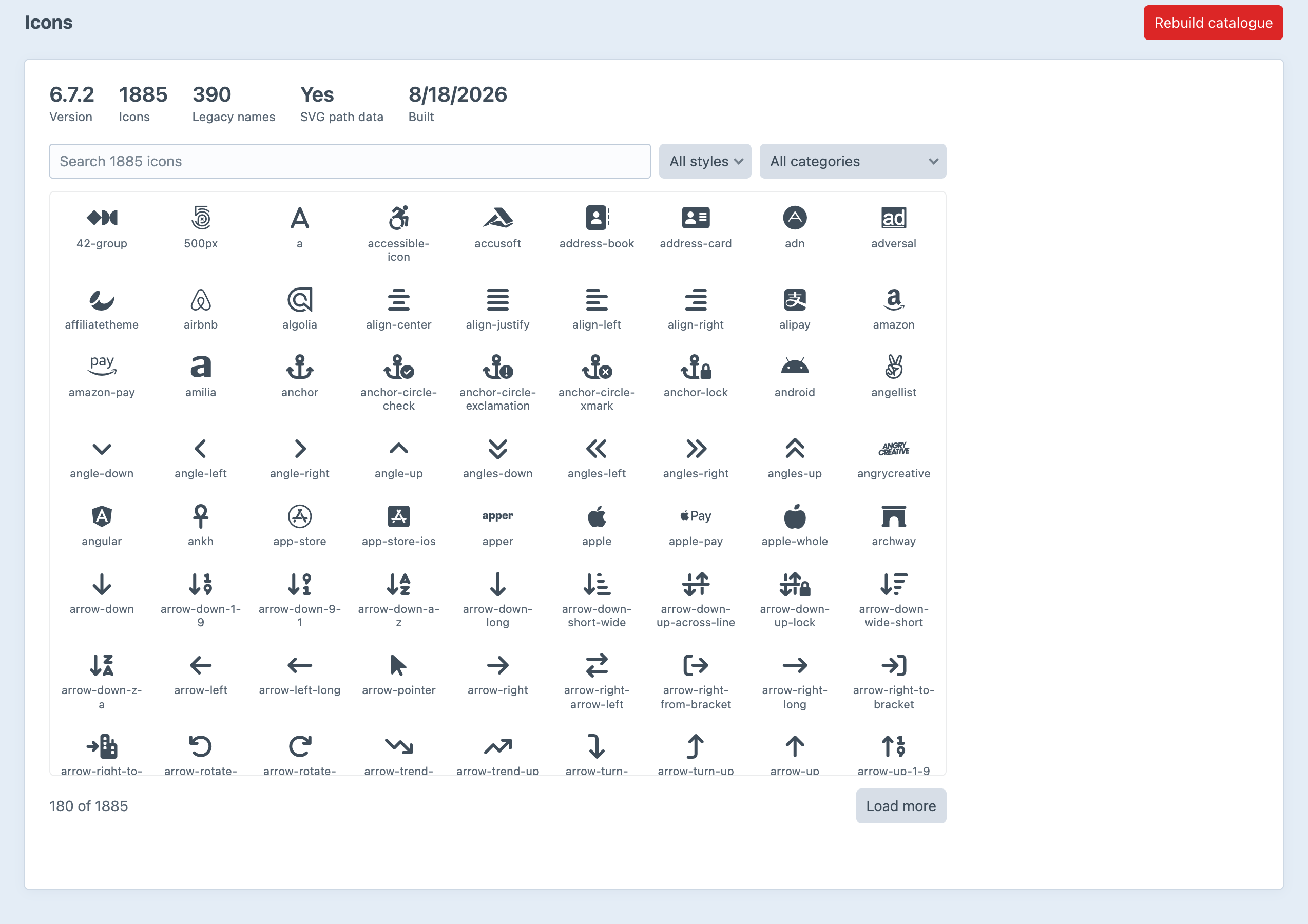
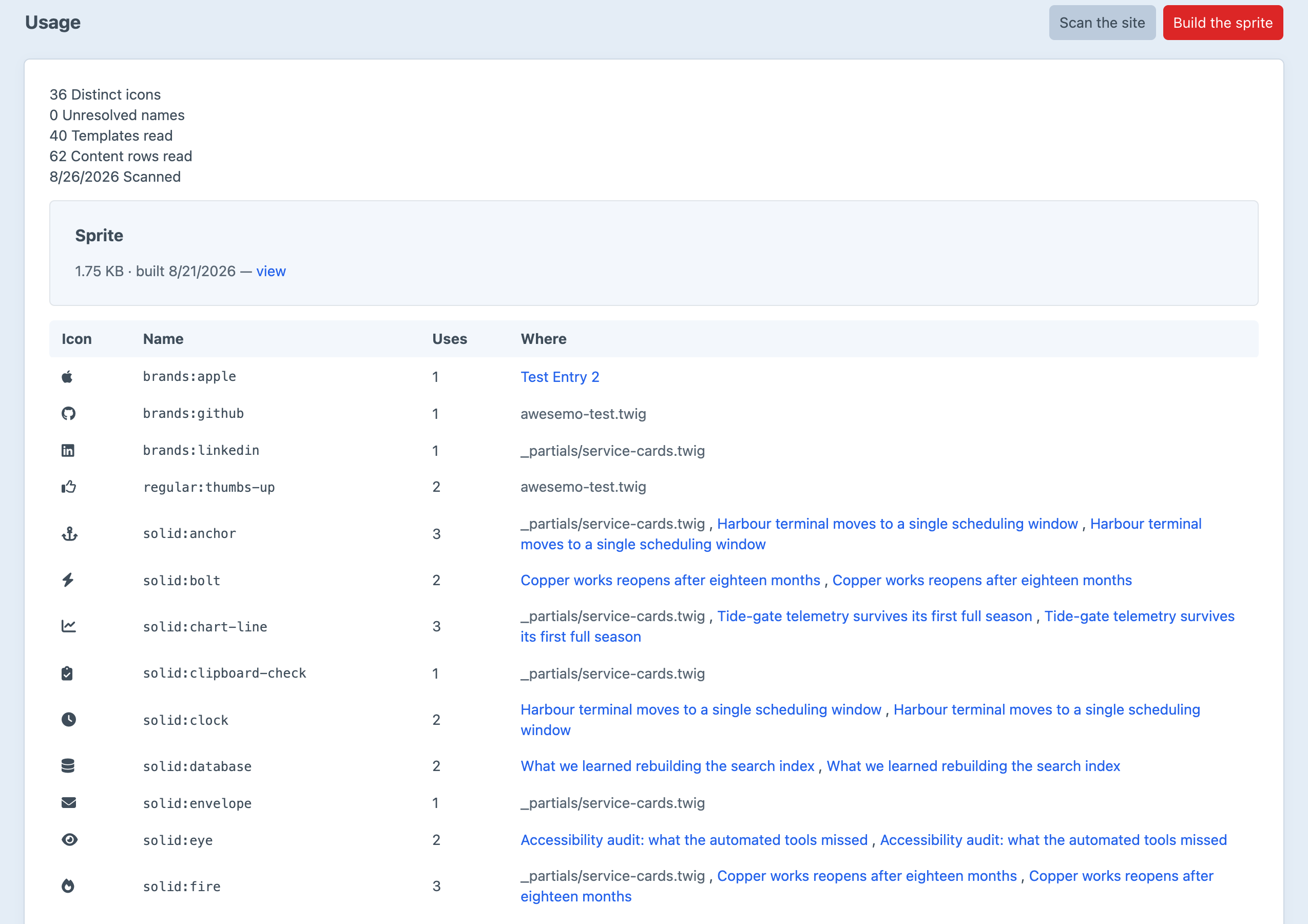
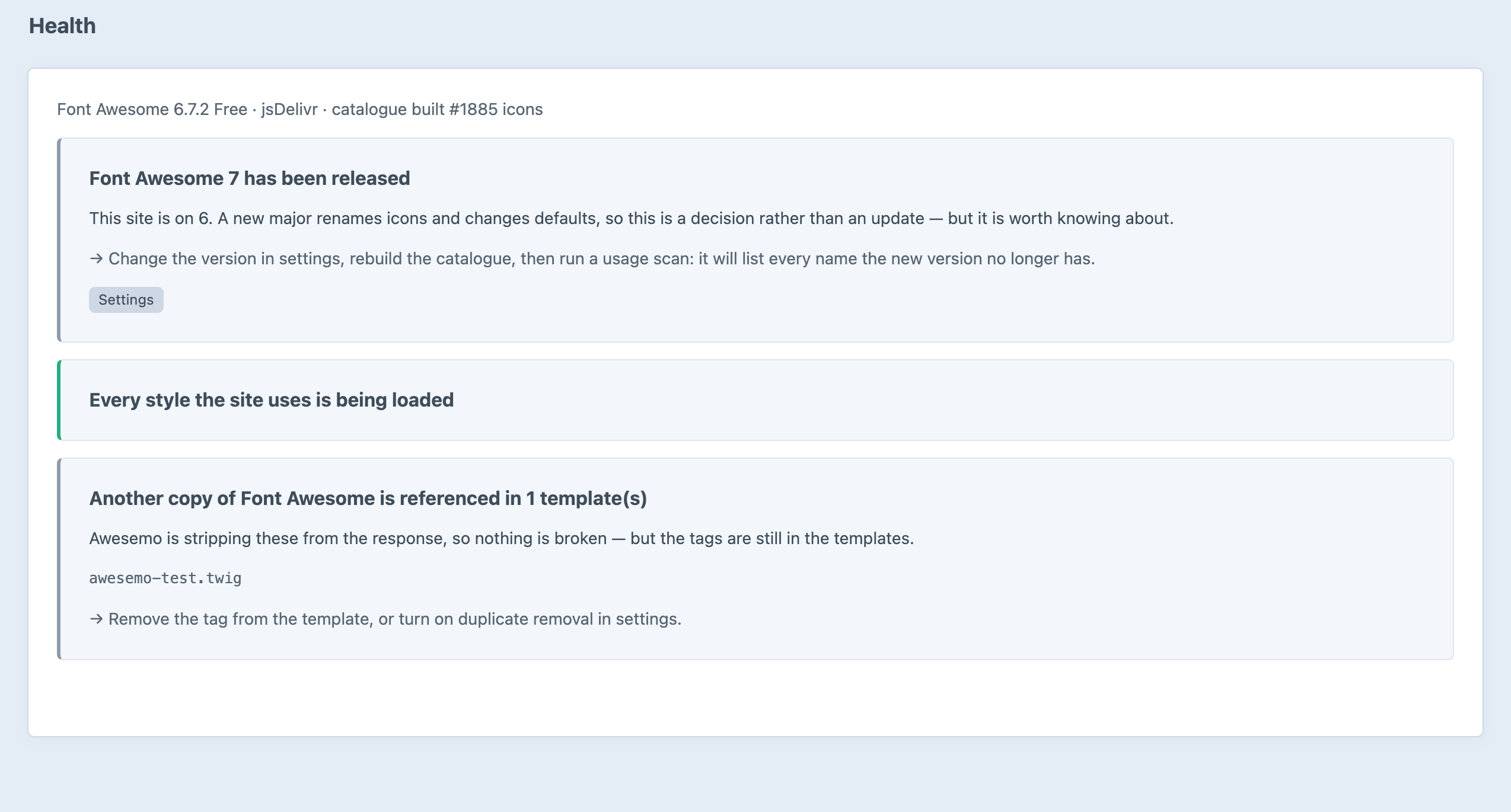
Screenshots from a live install, not mockups.
Frequently Asked Questions
The questions worth answering before you install it.
Entirely, permanently, with no editions and no licence key. Every feature on this page is in the one version there is.
No. It works with the free package straight from the CDN — 1,885 icons on a stock Font Awesome 6 Free install. If you do have a Pro subscription, point it at your kit and your Pro icons appear in the same picker.
It keeps working. The editor buttons insert ordinary Font Awesome markup — <i class="fa-solid fa-user"> — and that is what gets saved. There is no element type and no reference tag to strand, because an icon is two strings and the markup is the storage. What you lose is delivery, the picker, the fields and the SVG modes.
Only in the way you ask it to. By default it strips other copies from the response, because two copies on one page means the last stylesheet loaded owns the class names. If you would rather keep loading it yourself, set the source to “loaded by the site itself” — Awesemo then delivers nothing and strips nothing, and you keep the picker, the fields and the usage scan.
No. fa fa-user, far fa-user and fa-regular fa-user all resolve, whichever version the site is on, and the spelling that comes out follows the version automatically. Changing major versions becomes a settings change plus a usage scan.
Start on web font; it is what Font Awesome is designed around and it is one cached stylesheet for the whole site. Switch to inline SVG when you want no stylesheet and no font download, or to sprite when you want that without repeating the same path data forty times on a page. It is one setting, and |awesemoIcons upgrades everything authors have already written.
No. A front-end render reads one ~57 KB index and looks up the names on the page. The 1.4 MB of SVG path data is only opened when SVG mode meets an icon that is not yet in the subset — after which it is. A page rendering twelve icons costs twelve icons.
Yes. Upload the SVG and use it exactly like a Font Awesome one: {{ awesemo('custom:acme-logo') }}. Uploads are sanitised — scripts, external references and event handlers removed — and rendered inline, so they take color and font-size like any other icon.
By default, and in the direction that is almost always right: every icon is aria-hidden="true" unless you give it a label, at which point it becomes role="img" with that label. Most icons in a CMS sit beside text that already says what they mean.
Craft CMS 5.3+ and PHP 8.2+, with no runtime dependencies. Font Awesome 4, 5, 6 and 7 all work as sources, and legacy names from 4 and 5 resolve on 6 and 7.
Free, and it stays free
No editions, no licence key, no trial. Install it, build the catalogue, and put awesemo/health/check in your deploy.