$79 · Craft Commerce 5
The whole checkout, in one tap
Your customer's phone already knows their name, email, phone number and shipping address, and has a card ready to pay with. Coin Purse puts an Apple Pay or Google Pay button on the product page, the cart or the mini-cart, prices shipping inside the wallet sheet as the customer picks an address, and places the order in Commerce. No email field, no address form, no shipping step.

One tag, anywhere on the site
Commerce's Stripe gateway already shows Apple Pay and Google Pay, at the very last step, after the customer has typed an email, filled in an address and picked a shipping method. That saves typing a card number. Coin Purse starts at the first page the customer sees, and the wallet sheet is the checkout.
{# On a product page: buy this, now, without touching the cart #}
{{ craft.coinpurse.button({
    items: [{ id: product.defaultVariant.id, qty: 1 }],
    requestShipping: 'delivery',
    onComplete: { redirect: '/thanks?number={number}' },
}) }}

{# On the cart page: check out what is already in it #}
{{ craft.coinpurse.button({
    cart: craft.commerce.carts.cart,
    requestShipping: true,
}) }}Features
A payment button is the one thing on a store that cannot be almost right.
Shipping quoted inside the sheet
When the customer picks an address, the sheet asks your site for rates, and your own Commerce shipping methods answer. Change the address and the rates and total update in place, even while the wallet is only showing a country and postal code.
Every number is the server's
Line items, shipping, tax and the total all come from the order, at the moment they are shown. If the total moves between what the sheet displayed and what the order costs, the charge is refused rather than made for a different amount.
Signed buttons
The items, quantities and options a button was rendered with are signed with your site's security key. Swap a cheap variant's ID in for an expensive one, or invent a quantity, and the express endpoints refuse the request.
The cart is not collateral damage
A buy-now button builds its own order and never touches the cart. A cart button snapshots the cart's address, shipping method and email first, and puts them back if the sheet is cancelled, fails or is left to expire.
Stripe, or any other gateway
On Stripe it drives Stripe's Express Checkout Element, and Stripe holds the Apple Pay certificate. On any other gateway it speaks Apple Pay and Google Pay directly and hands the encrypted token to the gateway's own payment form.
Commerce still does the paying
Transactions, order completion, status emails, captures and refunds all go through Commerce's own payment flow. An express order is an ordinary order, and a double tap or a flaky network cannot pay for it twice.
Why is there no button?
A misconfigured wallet button does not show an error. It simply does not appear, and the first anyone hears of it is a quiet week of sales. The Diagnostics screen checks everything a button needs and says what to do about each thing that is missing. The same checks run as a console command that fails a deploy.
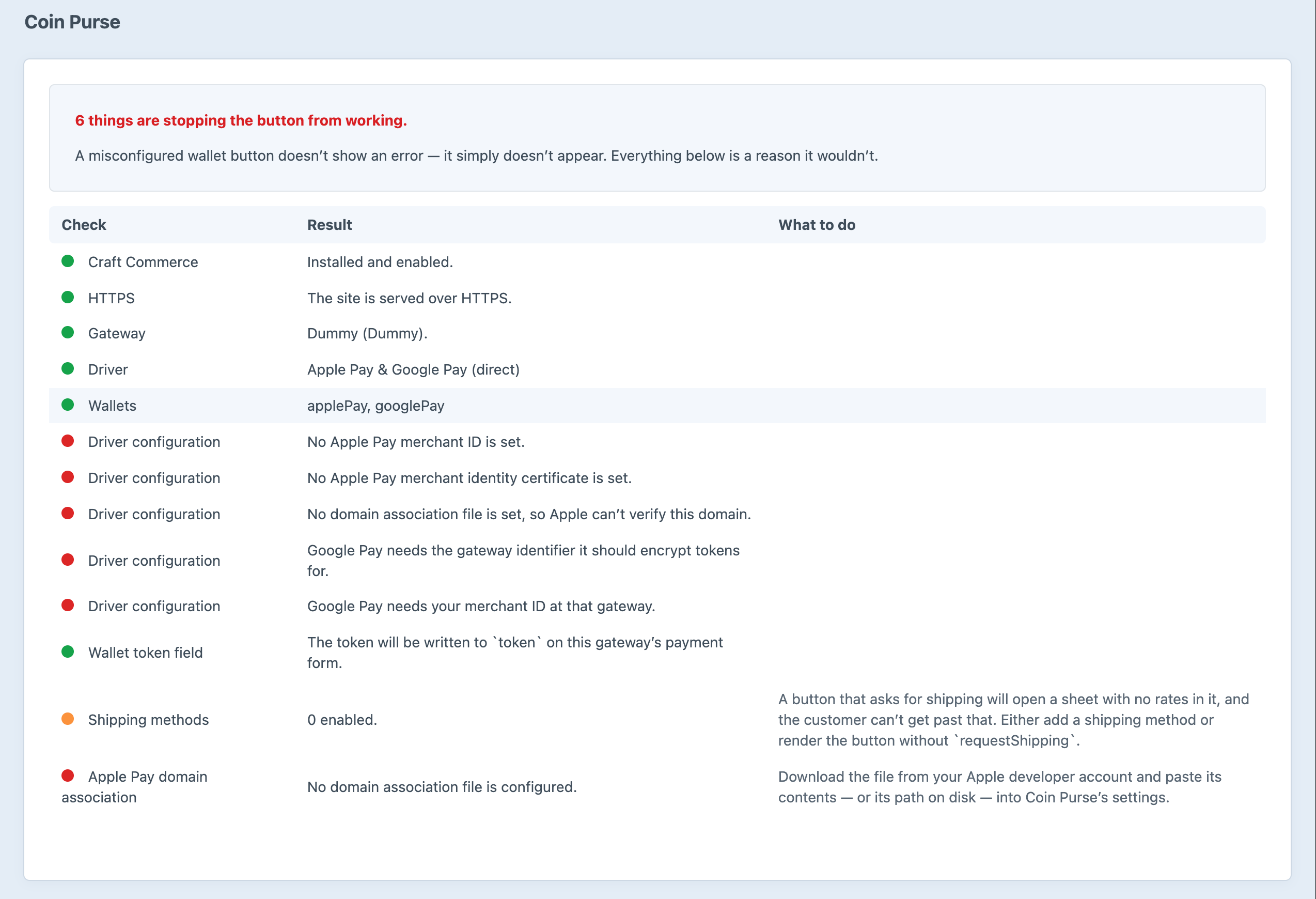
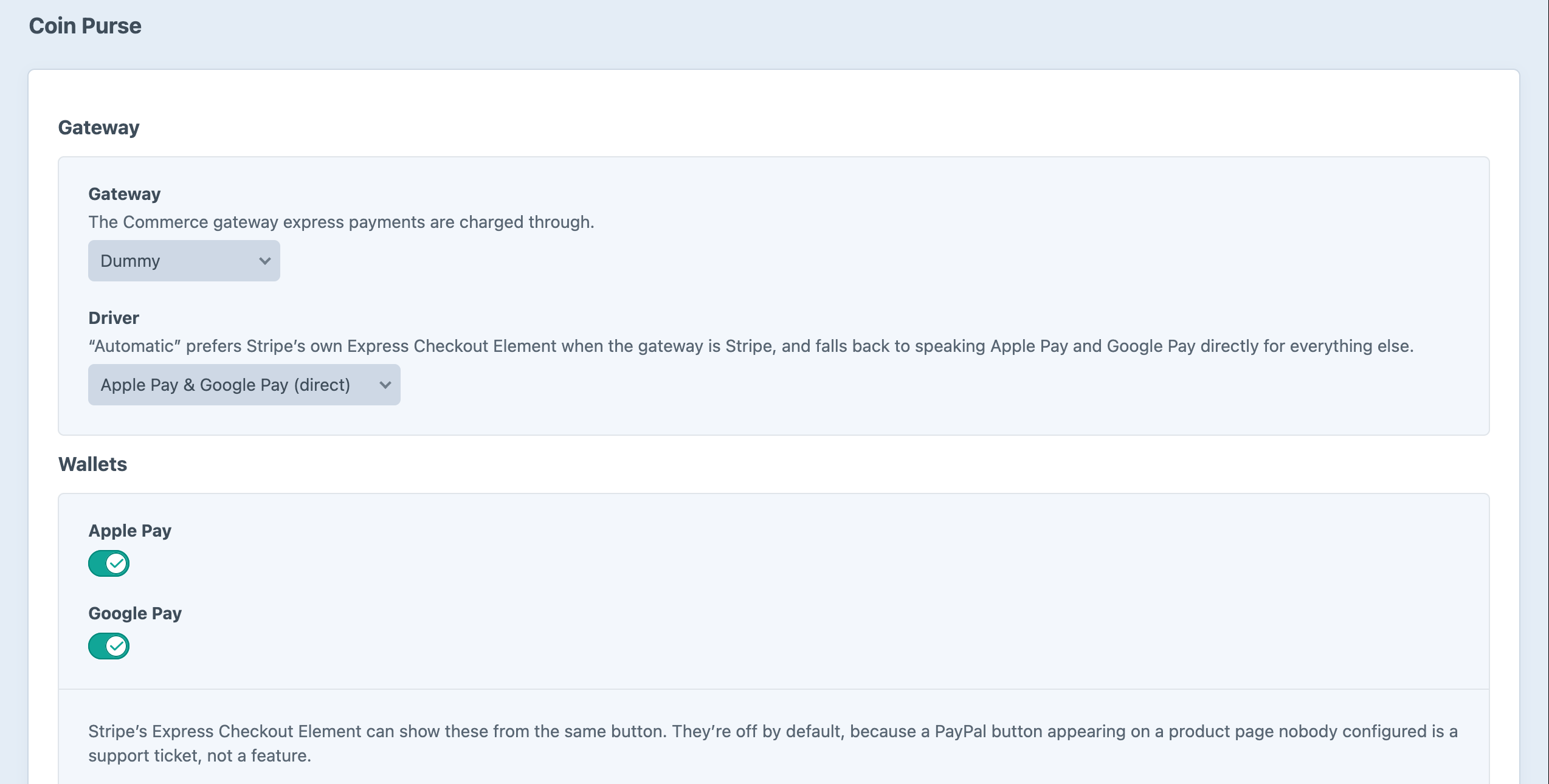
Screenshots from a live install, not mockups.
Frequently Asked Questions
The questions that come up before putting a payment button on a live store.
It shows them inside the Payment Element at the final payment step, after the customer has filled in an email, an address form and a shipping method. Coin Purse puts the wallet on the first page instead, and the wallet supplies all of that.
No. With Stripe it needs almost no setup: register your domain for Apple Pay in the Stripe dashboard. With any other gateway it speaks Apple Pay and Google Pay itself, which needs an Apple merchant certificate and a Google Pay gateway identifier.
Yes. ether/web-payments did this for Craft 3 and 4, last shipped in April 2023 and never came to Craft 5. The Twig option names are the same, and craft.webPayments.button() keeps working as an alias.
No. What a button sells is signed on the server, and every total comes from the order. The browser displays numbers and never adds them up. A total the server does not agree with is refused, never charged.
No. A button with items builds a separate order with its own number. Only a button given the cart uses the cart, and that one restores the cart's address, shipping method and email if the sheet does not finish.
Wallet sheets can fire their completion more than once on a flaky network. Every path into payment goes through one place, which checks whether that session has already been paid before charging.
Yes. Apple Pay and Google Pay refuse to run on anything else, and fail silently when they do. Local development on DDEV or Herd is already HTTPS.
Only on pages with a button, and only the one its driver needs. A Stripe store never loads Google's script. Stripe.js and Google Pay load from their own origins, as both require.
Put the checkout on the product page
$79, one edition, everything included. Install it, choose a gateway, check Diagnostics, and add one tag to a template.