Free for Craft CMS 5
Author your content model, don't click it together
Project config already syncs a content model between environments. It has never been able to author one — it is a generated file written in UIDs, not a document anybody opens to type a new field into. Archie is the missing half: a blueprint you write, review and commit, and the exact diff you see before a single thing is written.

One file, in your repository
Everything is a handle rather than a UID, so a blueprint means the same thing on every install. Types have shorthands derived from the registered classes themselves, so a plugin's field type gets one the day it is installed. And a blueprint is partial — anything it does not mention is left alone.
archie: 1
name: Blog

vars:
  handle: blog

fields:
  - handle: summary
    name: Summary
    type: plainText
    instructions: One or two sentences, used in listings.
    searchable: true
    settings:
      multiline: true
      charLimit: 300

  - handle: featuredImage
    type: assets
    settings:
      sources: '*'
      maxRelations: 1

entryTypes:
  - handle: article
    name: Article
    icon: newspaper
    color: blue
    fieldLayout:
      - name: Content
        fields:
          - handle: summary
            required: true
      - name: Media
        fields: [featuredImage]

sections:
  - handle: '{{ handle }}'
    name: Blog
    type: channel
    entryTypes: [article]
    uriFormat: '{{ handle }}/{slug}'
template: '{{ handle }}/_entry'What Architect left behind
Architect stopped at Craft 4. Archie does what it did — sections, entry types, fields, volumes, category groups, transforms, user groups and routes from a document you can commit — and adds the four things that were missing.
It shows you the diff first
Plan compares the blueprint against the live site and prints exactly what would be created, what already exists, and which attributes differ — down to individual field layout elements.
- Applying twice does nothing the second time
- Exits non-zero, so plan is a pull-request check
It can be undone
Every apply records what each component looked like beforehand. Roll a run back and Archie deletes what it created and restores what it changed, newest first.
- Names every deletion that takes content with it, first
- From the control panel or the console
It reads your Craft 4 blueprints
Point Archie at an Architect document and it reads it. Section-nested entry types are hoisted, the tab-map layout shape is understood, and Craft 4 Matrix block types become Craft 5 entry types with their inner fields promoted to real fields.
- convert writes the result back out as idiomatic Archie YAML
- Field groups are dropped with an explanation, not silently
It checks before it runs
Unknown and ambiguous field types, reserved and duplicate handles, layouts naming fields that do not exist, sections pointing at missing entry types, settings a field type does not have.
- Credentials written into a filesystem in plain text
- Environments where allowAdminChanges is off
You don't have to order it
An apply runs in dependency order whatever order the document is in — and Archie breaks the one real cycle in Craft 5, where a Matrix field points at entry types whose layouts point back at fields, by saving such a field twice.
It won't do the dangerous thing quietly
It will not delete a site, prune what the blueprint did not mention, or change a field's type without --force — because that rewrites the field's storage and the old values do not come back.
- Pruning has to be enabled in settings and requested on the run
- And it never touches sites, either way
Archie in the control panel
Real screens from a Craft 5 install — the plan before an apply, a run with its undo, and the seven bundled recipes.
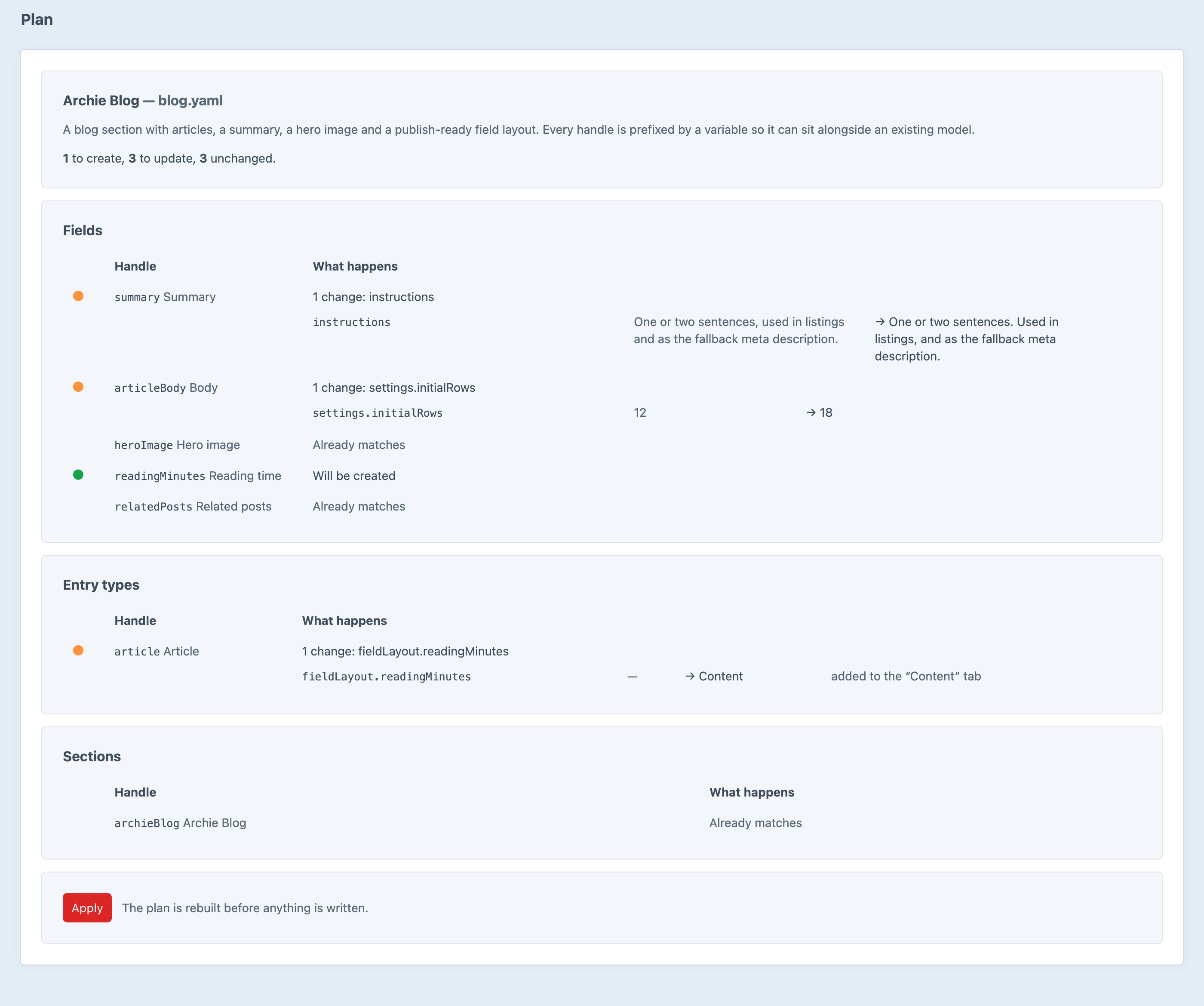
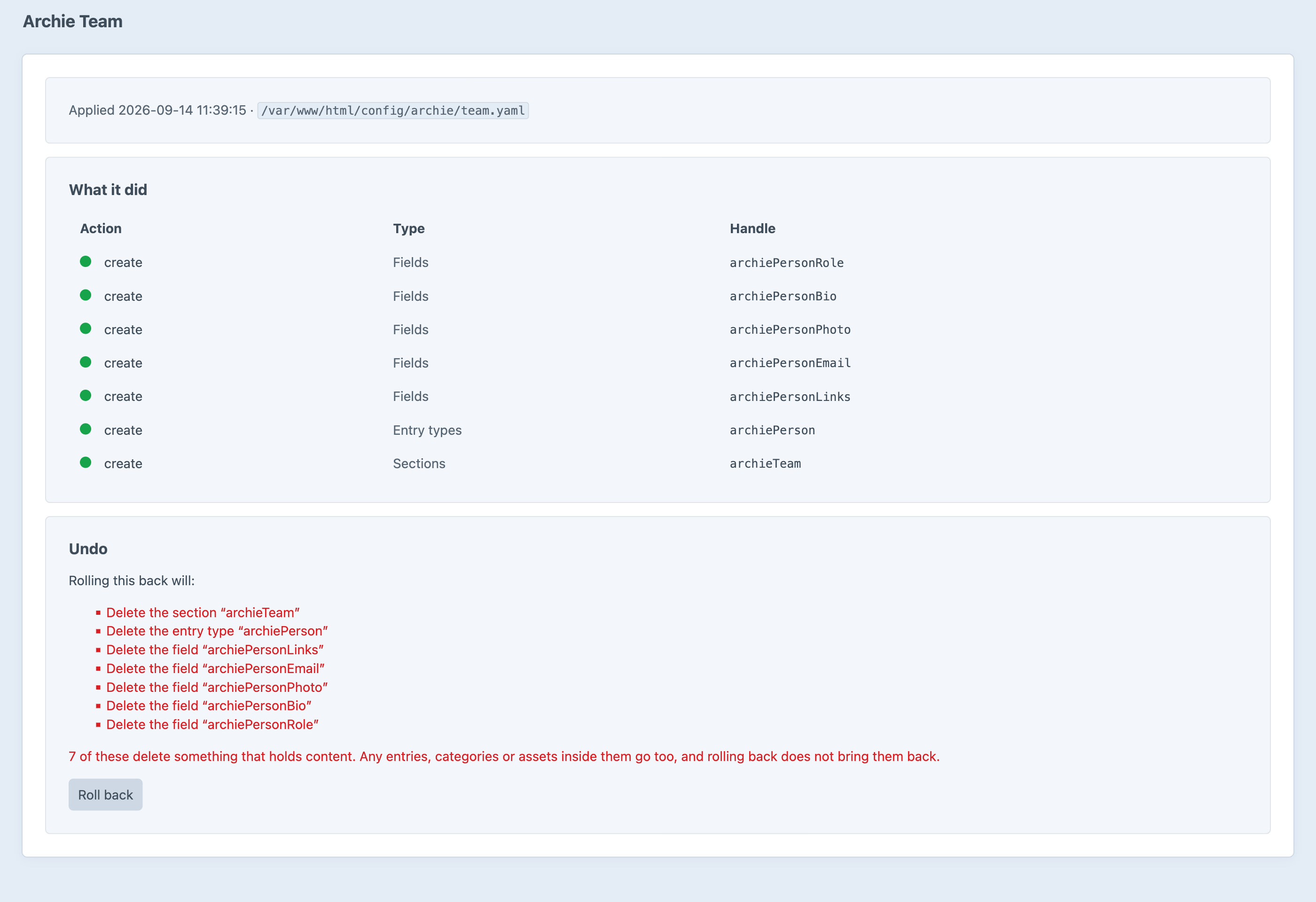
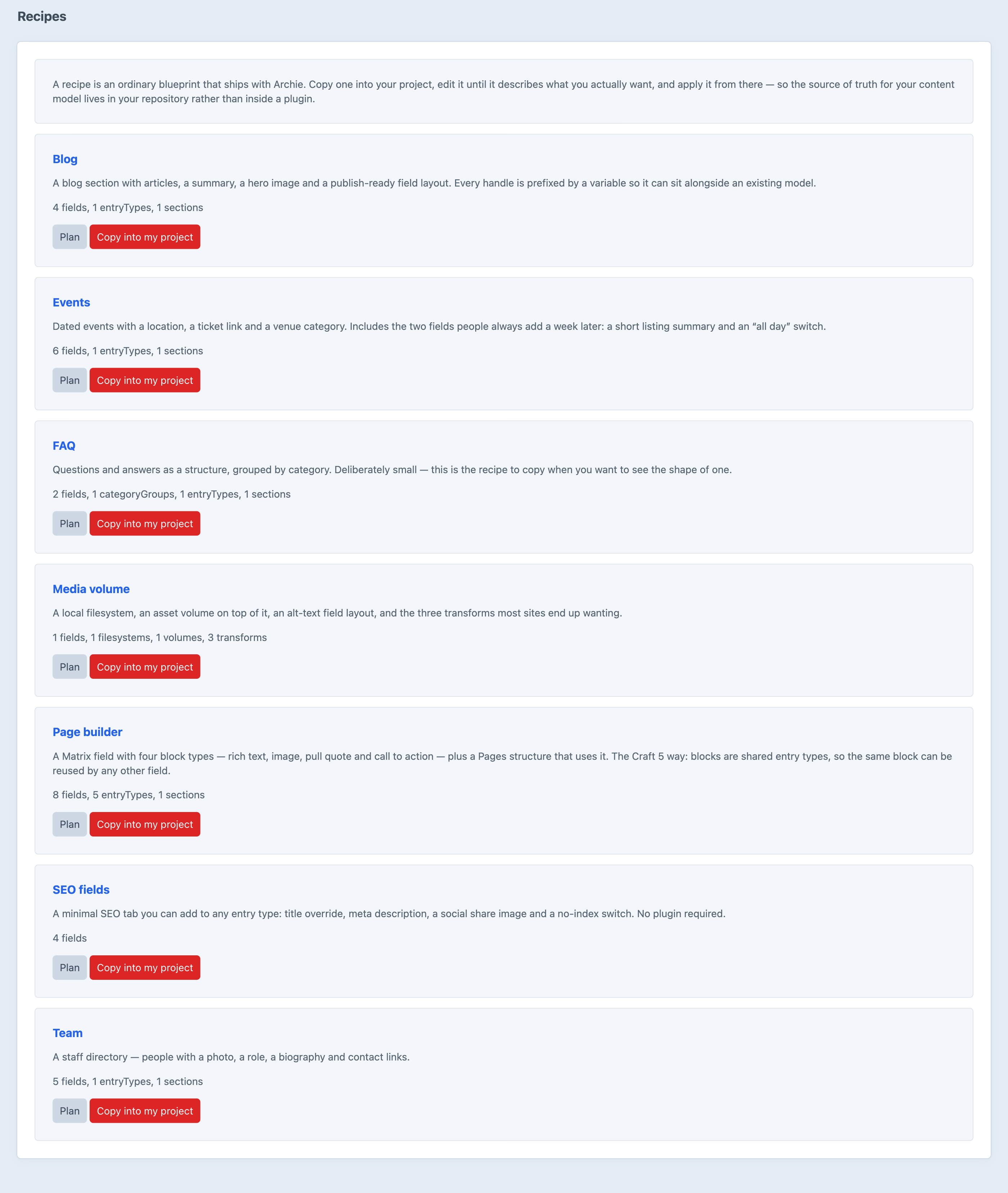
Screenshots from a live install, not mockups.
Frequently Asked Questions
The questions worth answering before you install it.
Project config syncs a content model between environments. It has never been able to author one. It is a serialisation — a faithful record of what Craft currently has, written in UIDs, produced by the CP and consumed by craft up. A blueprint is source: written by a person, in handles, describing what should exist. The two are complements. Archie puts a model into an environment; project config carries it to the others.
Yes, directly — you can plan one without converting it first. Section-nested entry types are hoisted, the tab-map field layout shape is understood, field groups are dropped with an explanation, and Craft 4 Matrix block types are rewritten into Craft 5 entry types with their inner fields promoted to real fields. archie/blueprint/convert writes the result back out as idiomatic Archie YAML so you can read it before you trust it.
Linting, planning, exporting and converting are safe anywhere — they read and write nothing. Running plan on production is a genuinely good idea: it is how you find out what a deploy would do to the content model before it does it. Applying is limited to environments where allowAdminChanges is on, which is Craft's own rule rather than Archie's.
No, unless you ask twice. A blueprint that mentions three fields is not asking for every other field to be deleted. Pruning has to be switched on in the settings and requested on the run with --prune — and even then it never touches sites, because deleting a site deletes the content that only lived there.
Yes. Every apply records what each component looked like beforehand, and rolling the run back deletes what it created and restores what it changed, newest first. What it cannot undo is content: rolling back a run that created a section deletes that section, and its entries go with it. Archie names every such deletion before it does anything.
Yes, and it is one of the better reasons to use it. lint and plan exit non-zero when the blueprint could not be applied cleanly, so running plan on a pull request fails the build if the content model the branch describes cannot be built. Applies take --interactive=0 for unattended runs.
Nothing, the second time. Applies are idempotent — the plan compares the blueprint against what is actually there, and anything that already matches is left alone. Re-running a blueprint is normal and expected, which is what makes it usable in a deploy script.
Yes. Type shorthands are derived from the registered classes themselves, so a plugin's field type gets one the day it is installed, and the full class name always works. If a plugin owns a whole kind of component rather than a field type, it can register a component handler and Archie will plan, apply, lint, export and roll it back alongside everything else.
Yes, and it is not a trial. It is licensed under the Craft License — free, not paid, and not MIT, like every plugin in this family.
Write it down, then look before you apply
Free for Craft CMS 5. Seven recipes to start from, and it reads the Architect documents you already have.



