Free · a plugin for plugins
Craft's flash lasts one page load. A Yo lasts until it is answered.
Craft gives a plugin one string, for one person, on the next page load, with no type beyond notice and error, no buttons, no way to reach anybody else, and no way to ever learn whether it was seen. Yo answers all of those once, so thirty plugins do not each answer them differently.

One line, or six
A plugin that wants Craft's behaviour writes one line. A plugin that wants a sticky, addressed, actionable message with a receipt writes six. Nothing in between needs a decision.
use justinholtweb\yo\Yo;

Yo::success('Saved.');

Yo::say('Import finished')
    ->body('412 entries in, 3 skipped.')
    ->success()
    ->action('Review the log', url: '/admin/transport/logs/88')
    ->to('group:editors')
    ->dedupe('transport:import')
->send();Features
A bus, not a notifications plugin. Everything Yo does to a message is something another plugin can do too, at the same seam.
It works before you write anything
Yo adopts Craft's own control panel notices — session flashes server-side, Ajax responses in the browser. Thirty installed plugins, none of them changed, all of them in the panel.
- On by default
- Turn it off and Craft's own toasts come straight back
Messages that answer back
Shown, read, dismissed, actioned — each one an event carrying the message and whatever context the sender attached. A message with a button is a control surface, not a notification.
Addressed, not broadcast by accident
The current user, one person, a user group, or everybody. A message for the current request rides in the session and never costs a write; a message to four hundred people is one row until somebody reads it.
A type or a channel of your own
Register a message type with its own colour, icon and stickiness. Or write a channel — Slack, e-mail, a webhook — and every plugin already sending messages reaches it without one of them changing.
- A broken channel is stepped over, never fatal
- Route by type, by sender, by anything
A panel you can put anywhere
A floating panel on every control panel page, draggable to any of six anchors and remembered for each person. Collapse it, clear it, or switch it off and keep the dashboard widget.
Your front end, your CSS
Yo ships no front-end stylesheet, deliberately. Stable class names, a template you can override outright, and the behaviour already wired. What a warning looks like on your site is your decision.
- One line of Twig: {{ craft.yo.init() }}
- Or take the data and write the markup yourself
The seams other plugins hook
One plugin can edit, suppress or re-route another plugin's message. That is not an escape hatch — it is why a site with thirty plugins has one place to turn something down rather than thirty settings screens.
use justinholtweb\yo\services\Messages;
use justinholtweb\yo\events\DeliveryEvent;

// Find out what became of a message you sent.
Event::on(Messages::class, Messages::EVENT_MESSAGE_ACTIONED, function(DeliveryEvent $e) {
    if ($e->actionKey === 'retry') {
        MyPlugin::getInstance()->imports->retry($e->message->context['importId']);
    }
});

// Quieten down somebody else's plugin, without forking it.
Event::on(Messages::class, Messages::EVENT_BEFORE_SEND, function(MessageEvent $e) {
    if ($e->message->plugin === 'chatty' && $e->message->type === 'notice') {
        $e->isValid = false;
    }
});Yo in the control panel
Real screens from a Craft 5 install with five plugins sending messages — the floating panel, the dashboard widget, and the settings screen listing everything registered.
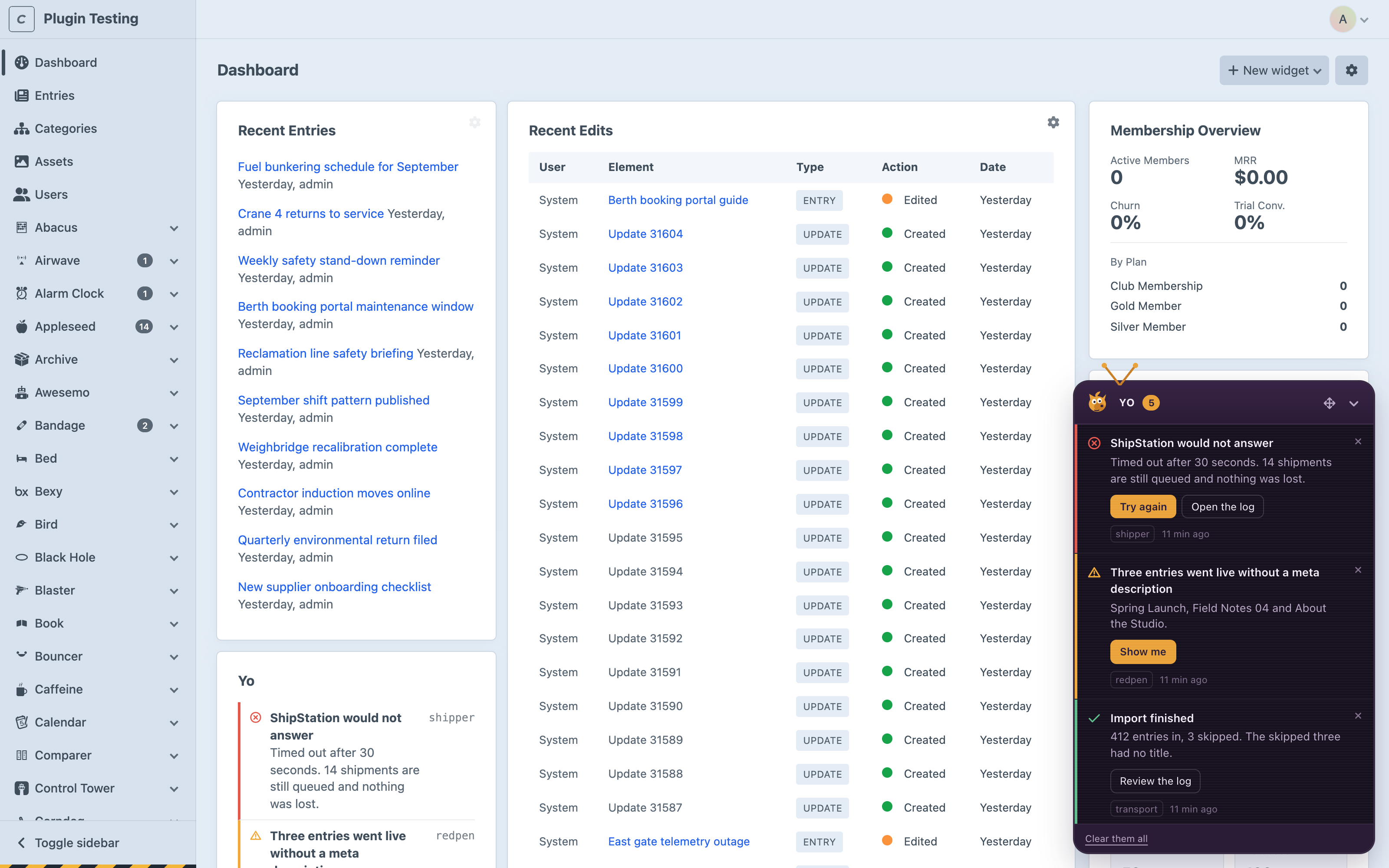
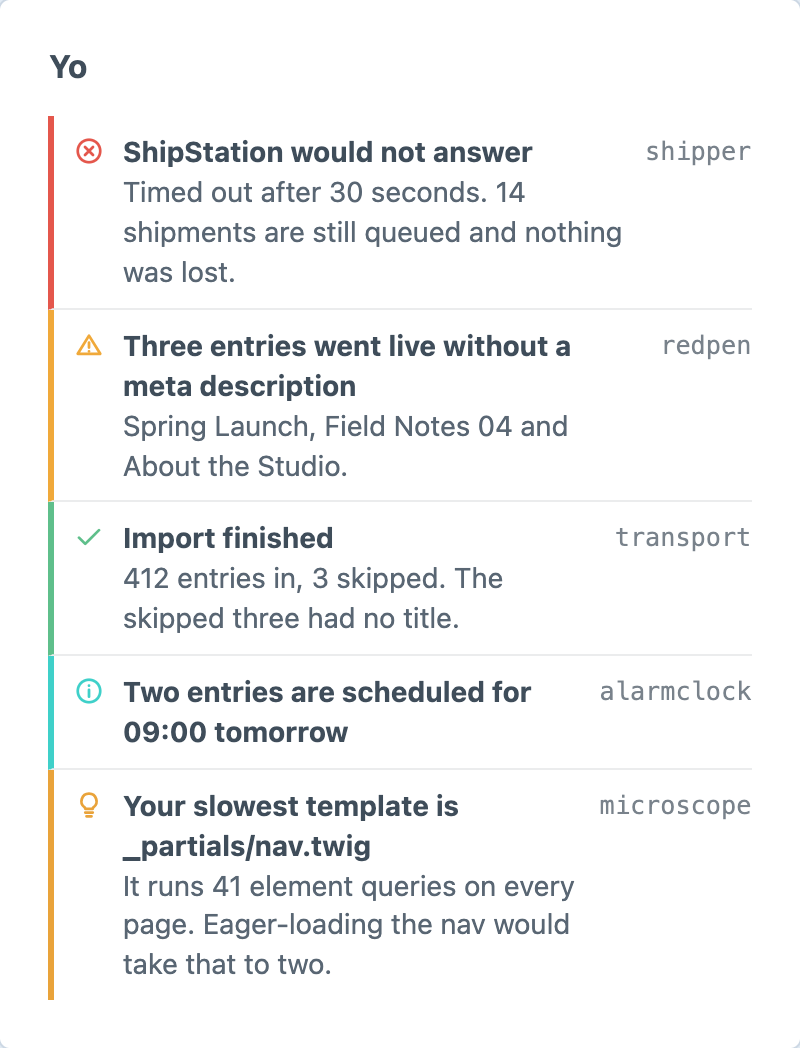
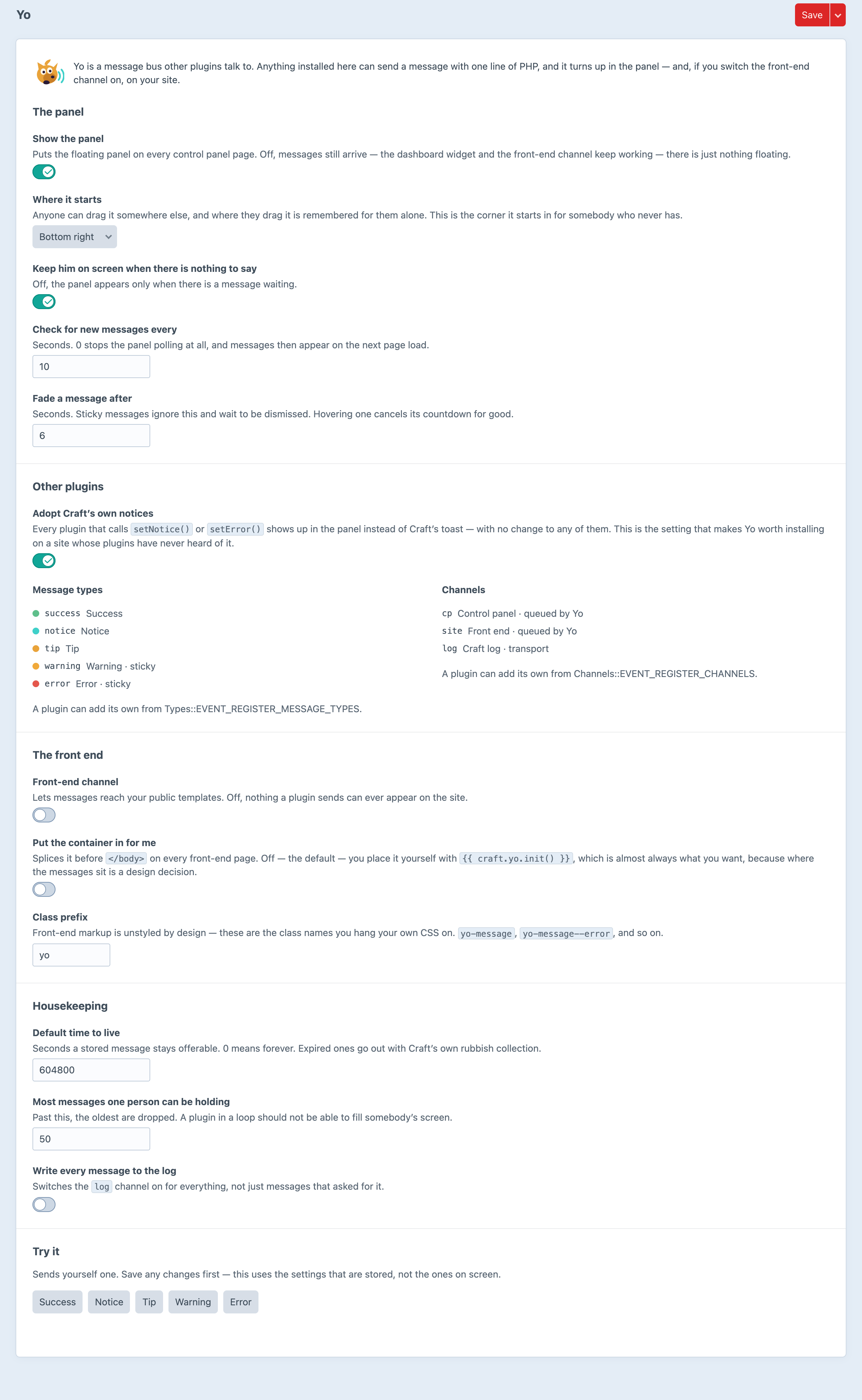
Screenshots from a live install, not mockups.
Frequently Asked Questions
The questions worth answering before you install it.
Yes. One edition, no paid tier, no trial. It is infrastructure — it is worth more the more plugins use it, and a price would be a tax on exactly the thing that makes it useful.
No. Adoption is on by default, and every plugin that calls Craft's setNotice(), setSuccess() or setError() shows up in the panel with no change to any of them. Writing to Yo directly buys you types, buttons, recipients and receipts — but the floor is zero work.
Put it in suggest, not require, and guard the call site with class_exists(Yo::class) && Yo::isReady(). Your plugin then gains a panel on the sites that have one and loses nothing on the sites that don't.
It adopts them, which is different. Craft still sets them; Yo takes them off the session before the layout renders and shows them in the panel instead. Turn adoption off and Craft's own toasts come straight back.
Two tables. Only messages addressed at somebody other than the person who triggered them get a row — everything else rides in the session and never costs a write. Receipts are created when something first happens to a copy, so a message to four hundred people is one row until somebody reads it.
Because an open Server-Sent Events connection occupies a PHP-FPM worker for as long as the tab is open, and five editors with three tabs each would exhaust a default pool. Everything else about the panel is server-sent — dismissing, acting and clearing all post and get back rendered HTML. It is the connection that is short, not the technique.
Because the shape of a message is not fixed. A plugin can register a type Yo has never seen, with its own colour and icon. A client-side template would have to know about all of that and would drift the moment somebody added one. Sending the rendered HTML means a third-party type looks exactly as right as a built-in one. DataStar is vendored — 34 KB, no CDN, no build step.
Yes. EVENT_BEFORE_SEND can suppress any message from any sender, including one you did not write.
Not yet. Messages are per-person and per-session, which is an awkward fit for a cached GraphQL response, and nobody has needed it.
Craft CMS 5.3+ and PHP 8.2+. Nothing else — no queue, no cache driver, no external service, no build step.
Install it, and every plugin you already have gets better
Free, one edition, two tables and no configuration required. The adoption setting is on out of the box, so the panel is doing work before you have written a line against it.



