Free · Craft CMS 5
Your schema, explained in place
Craft 5 lets every field in a layout carry a tip — a note under the field, a lightbulb in the layout designer, stored in project config with the layout. Almost nobody writes them, because one note per field per layout is a job nobody has time for, and they go stale the day a setting changes. Xplain writes them, for every field in every layout, and keeps them current.

Written into the schema, not beside it
Each tip goes exactly where a tip you typed into the field layout designer would go: the layout element's own `tip`, in the entry type's YAML. It shows up in pull requests and deploys with project-config/apply. A small ledger next to it records a hash of what Xplain wrote, which is how it knows never to touch a tip a person wrote or edited.
# config/project/entryTypes/landingPage--….yaml
-
  fieldUid: 4c1e…
  required: false
  tip: 'Dropdown — one of: `light`, `dark`, `seasonal`. `{{ entry.landingTheme }}` prints the value; compare with {% if entry.landingTheme == ''light'' %}. Templates compare the *value*, not the label — use `entry.landingTheme.label` for display.'
  type: craft\fieldlayoutelements\CustomField

# config/project/project.yaml
xplain:
  tips:
4f0b…: a91c3e… # hash of the tip Xplain wroteFeatures
Notes that are right for the layout they are in, and that never go stale on their own.
Every layout Craft keeps
Entry types, Matrix entry types, category and tag groups, volumes, global sets, users, addresses, Content Block fields, Commerce product and variant types, and plugins' layouts. Xplain finds them by walking project config, so there is no list of owners to fall behind.
Twig for this layout
The same field is entry.theme in a section, block.theme in a Matrix entry type, category.theme on a category group and footer.theme on a global set. When a layout renames a field, the tip leads with the rename — the thing most likely to break a template.
Reads your settings
The dropdown's real option values, the table's column handles, the relation's limit and sources, and for a Matrix field every entry type with its real field handles — written out as a full {% switch %} on the field's settings screen.
Keeps itself current
Save a field or a layout and one queued job rewrites whatever changed — including the Matrix field whose note lists the entry type you just edited. Existing fields get their tips on install. On production it does nothing: the tips arrive with project config.
Your tips stay yours
A tip is Xplain's only while its text is exactly what Xplain wrote. Change one word and it is yours: Xplain will not overwrite it, remove it or hide it.
Out of authors' way
Xplain's tips show to admins and to users with the See Xplain's developer tips permission. Everyone else sees the form as before, including any tips a person wrote for them.
Under the field, in the designer, and on the field's own screen
In the entry form, a one-paragraph tip under each field. In the field layout designer, Craft's lightbulb on every field that has one. And under each field's settings, the long form: every layout it sits in, the Twig for each, a query, a GraphQL selection and every piece of advice.
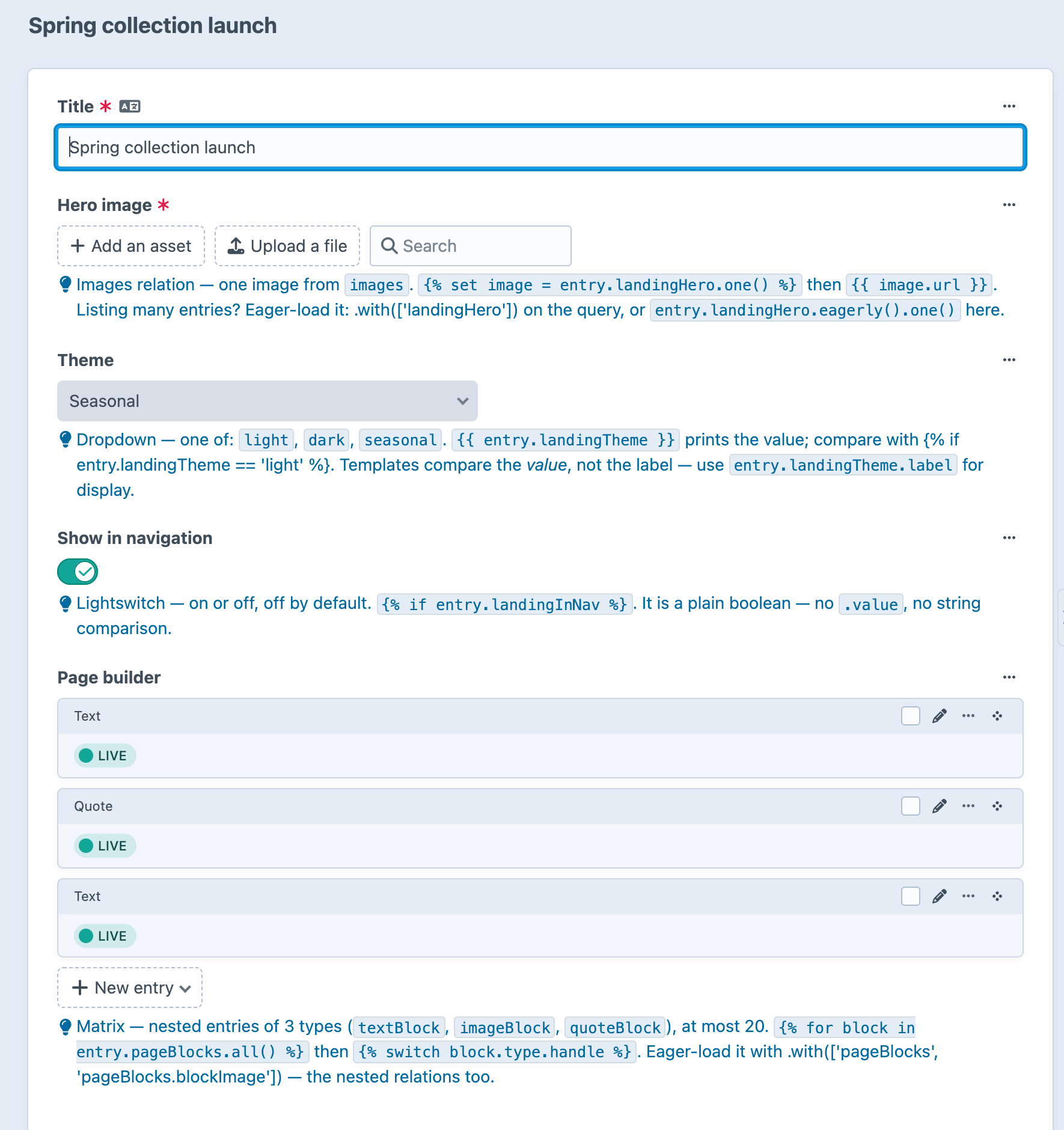
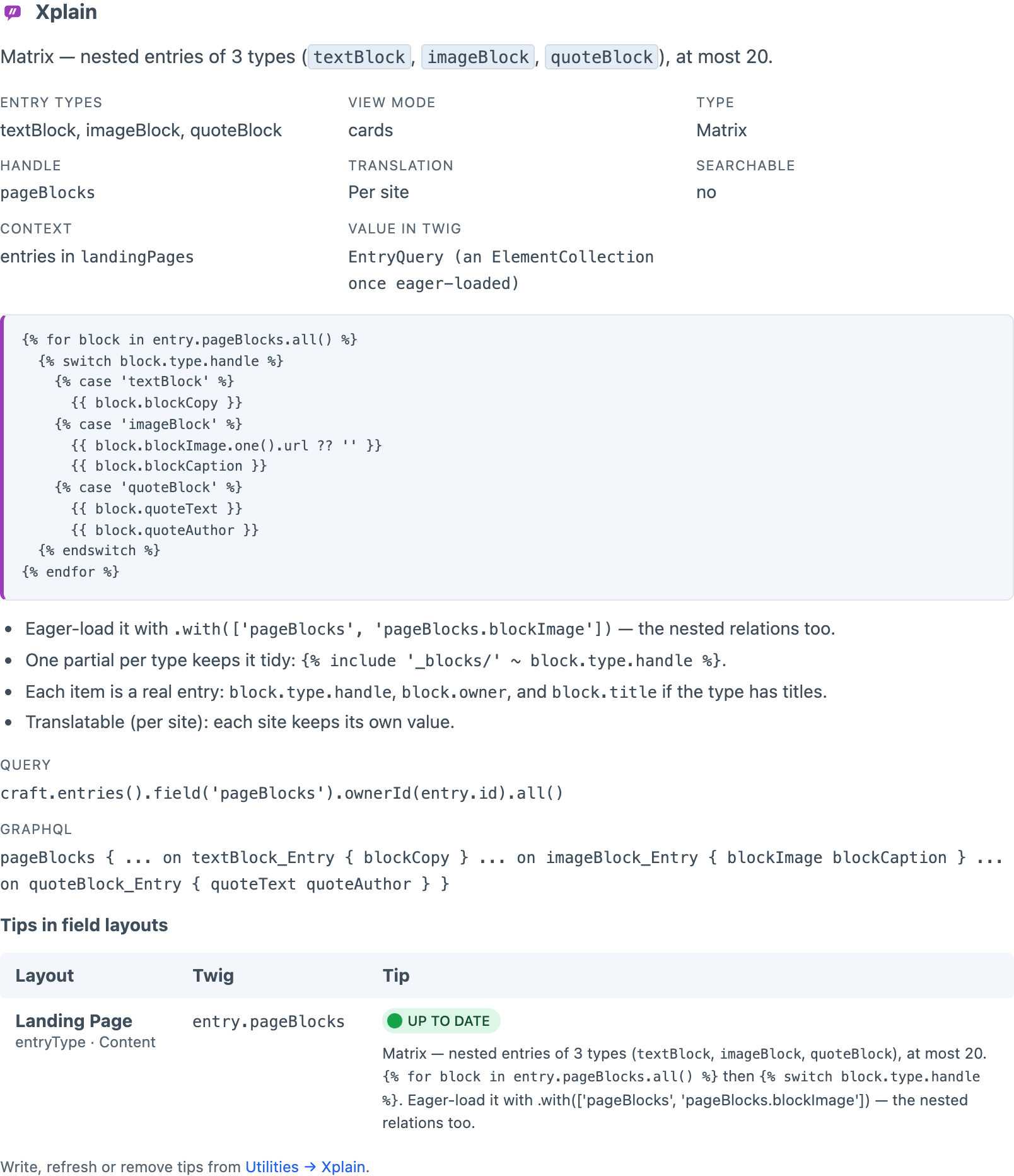
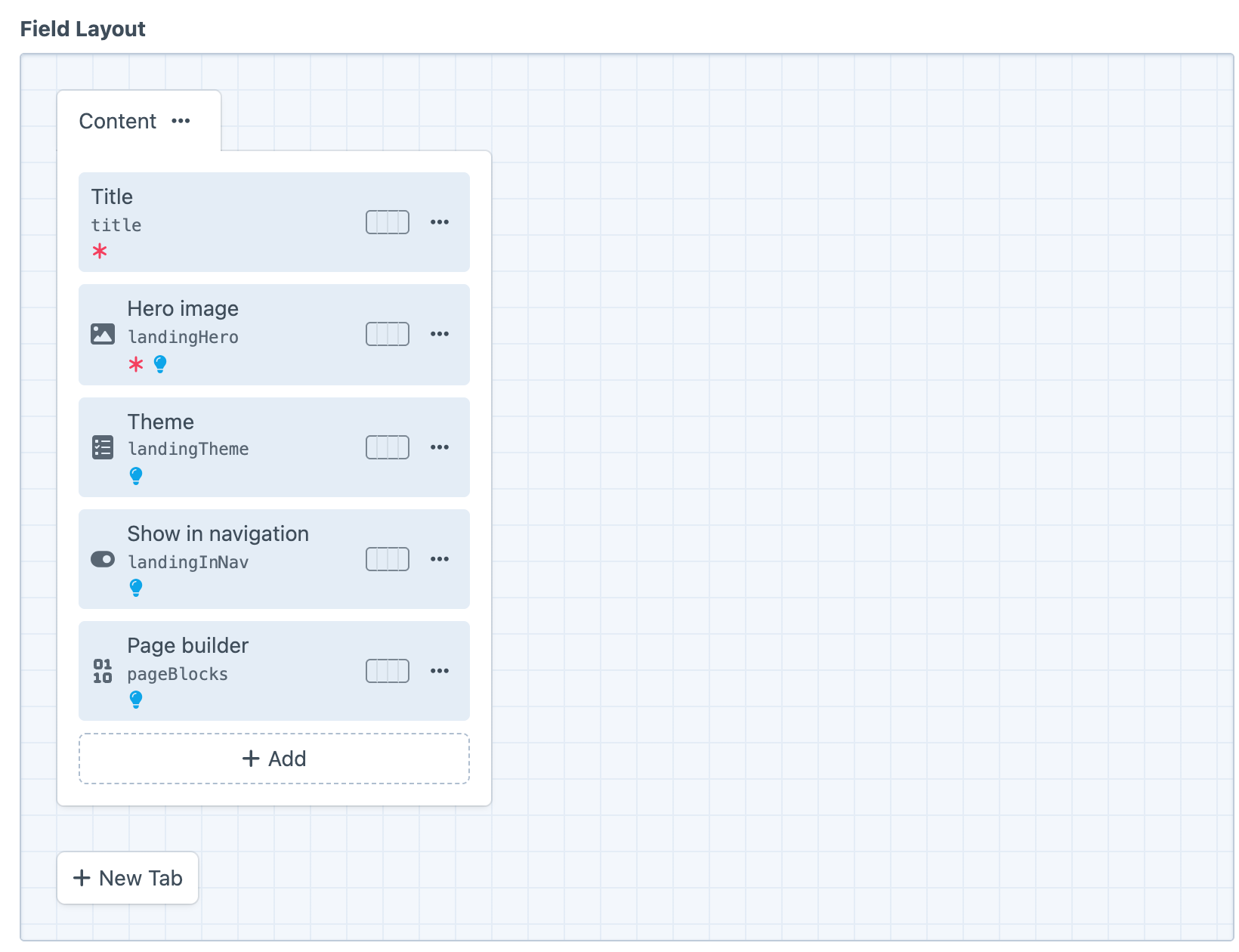
Screenshots from a live install, not mockups.
Frequently Asked Questions
What people ask before letting a plugin write into their project config.
Yes. One edition, no licence key, and no licensing code in the plugin.
In project config, as each layout element's ordinary tip — exactly where a tip you typed into the field layout designer would go. Xplain adds one key, xplain.tips, holding a hash of each tip it wrote.
No. It only ever changes a tip whose text is exactly what it wrote last time. Edit one of its tips and that tip becomes yours.
Not unless you want them to. Xplain's tips show to admins and to users with the See Xplain's developer tips permission. Tips a person wrote still show to everyone.
No. Instructions are for authors and Xplain leaves them alone. It uses the tip, Craft's slot for a secondary note.
Nothing, when allowAdminChanges is off. The tips were written in development and arrive with project-config/apply like any other schema change.
Thirty: every core type, plus CKEditor and Redactor. Anything else gets a note built from the value type Craft itself declares, and one event lets a plugin describe its own field type.
Yes. php craft xplain/tips/check exits non-zero when a tip is missing or out of date, so a schema change cannot ship without its notes.
Its own tips are removed with it. Tips you wrote or edited stay exactly as they are.
Neither. Everything it writes is in project config, and it never talks to anything.
Install it and every field explains itself
Free, no editions, no licence key. Install it, run a dry run if you want to see first, and commit the tips like any other schema change.