Free · Craft CMS 5
Structured data without the SEO suite
Most Craft sites that want schema.org markup end up installing a full SEO plugin to get it, along with meta tags, sitemaps and a settings tree they never asked for. Schemy does only the JSON-LD. Pick a type for a section, map its properties to the fields you already have, and every entry carries the markup.

Fields in, a linked graph out
Map headline to Title, image to an Assets field and author to a byline, and Schemy shapes each value for the property it fills. Dates become ISO 8601, images become ImageObjects, and a byline becomes a Person. Every node is linked by @id, so the article's publisher is your organization rather than a copy of it.
{
  "@context": "https://schema.org",
  "@graph": [
    { "@type": "Organization", "@id": "https://example.com/#identity", "name": "Harbour Authority" },
    { "@type": "WebSite", "@id": "https://example.com/#website", "publisher": { "@id": "https://example.com/#identity" } },
    {
      "@type": "NewsArticle",
      "headline": "Harbour terminal moves to a single scheduling window",
      "datePublished": "2026-08-24T06:07:02-07:00",
      "image": { "@type": "ImageObject", "url": "https://example.com/harbour-cranes.jpg", "width": 1600, "height": 1067 },
      "author": { "@type": "Person", "name": "Marta Okonkwo" },
      "publisher": { "@id": "https://example.com/#identity" }
    },
    { "@type": "BreadcrumbList", "itemListElement": [ "…" ] }
  ]
}Features
Three levels of control, one graph per page, and no opinions about the rest of your head tag.
Sections and singles
Give any section, including a single, a schema type and a list of property mappings. Click Add suggested properties and the common ones are mapped to Title, Post Date and Author for you.
- Autocomplete for about forty common types, and any other type typed by hand
- A blank type means no schema, not a guess
Entry type overrides
Entry types are shared across sections in Craft 5, so overrides are scoped to the section. The same article type can be a NewsArticle in News and a BlogPosting in Blog.
Per-entry control
A field with three modes: inherit, customize or disable. Customizing an entry replaces only the properties you set; everything else is still inherited.
- A preview of the exact JSON-LD the page will output
- A box for raw JSON-LD, validated on save
Values shaped for the property
Assets on image properties become ImageObjects, users become Persons, related entries become names, and rich text is stripped to plain text. Dot paths build nested objects, and repeating a property builds a list.
Site identity
One Organization, LocalBusiness or Person node on every page, rendered per site, and linked as the publisher of every article, page and creative work.
Safe by default
Settings live in project config and deploy with your schema. Twig in entry-level values is off unless you turn it on, a broken template is skipped and logged rather than breaking the page, and output is escaped so content can never close the script tag.
Schemy in the control panel
Real screens from a Craft 5 install: a section's mappings, one entry customizing its own headline, and the site identity.
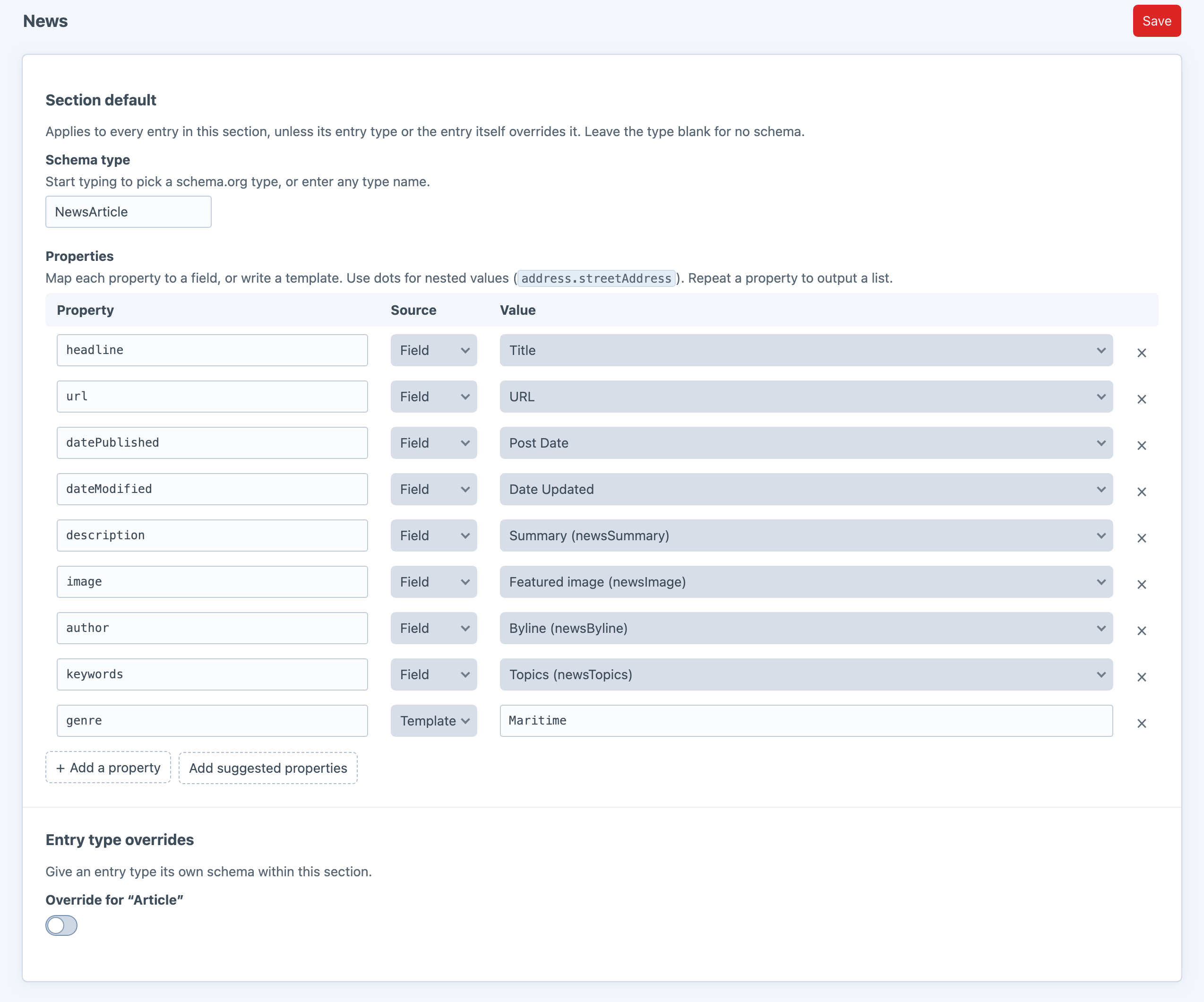
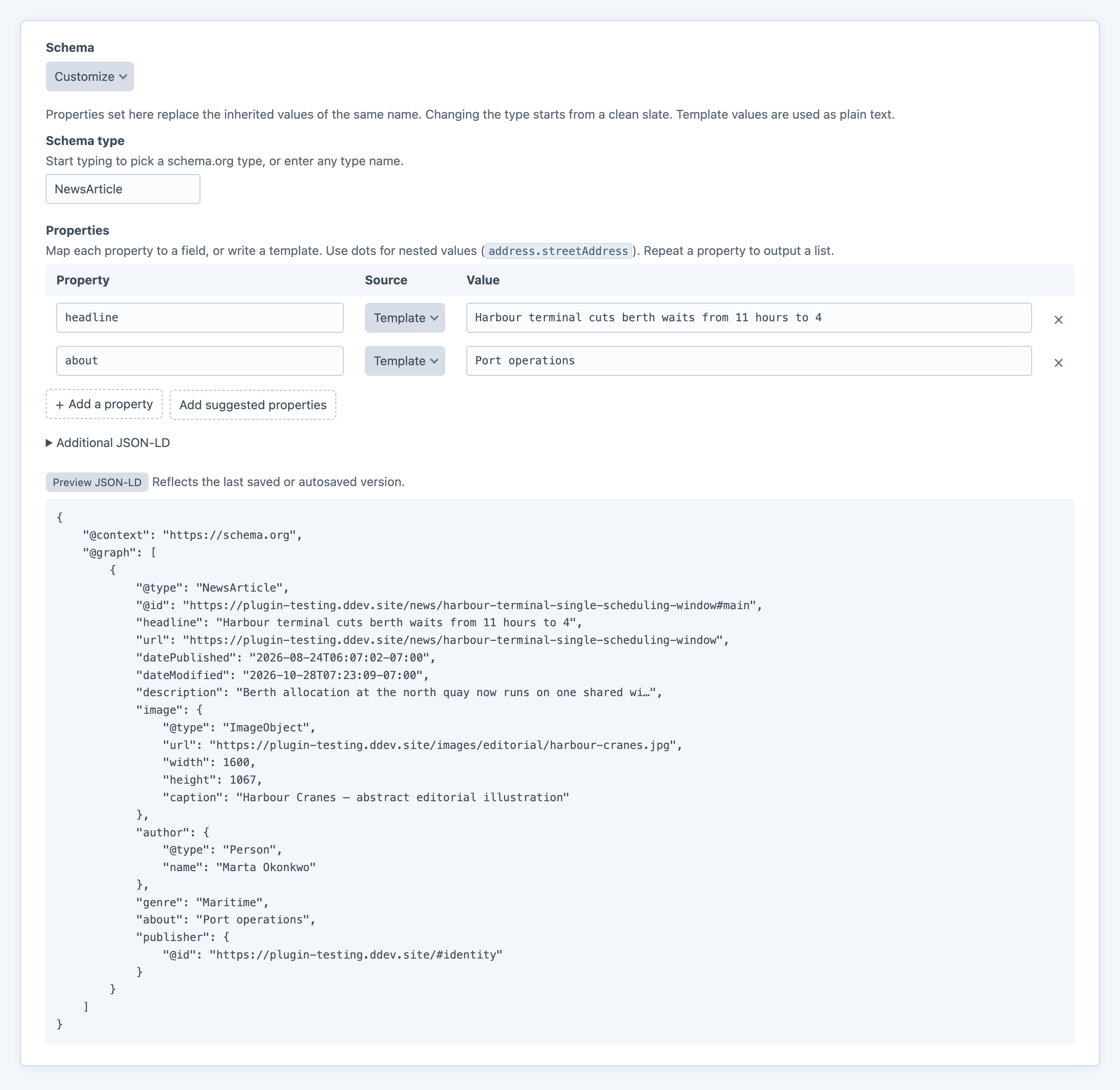
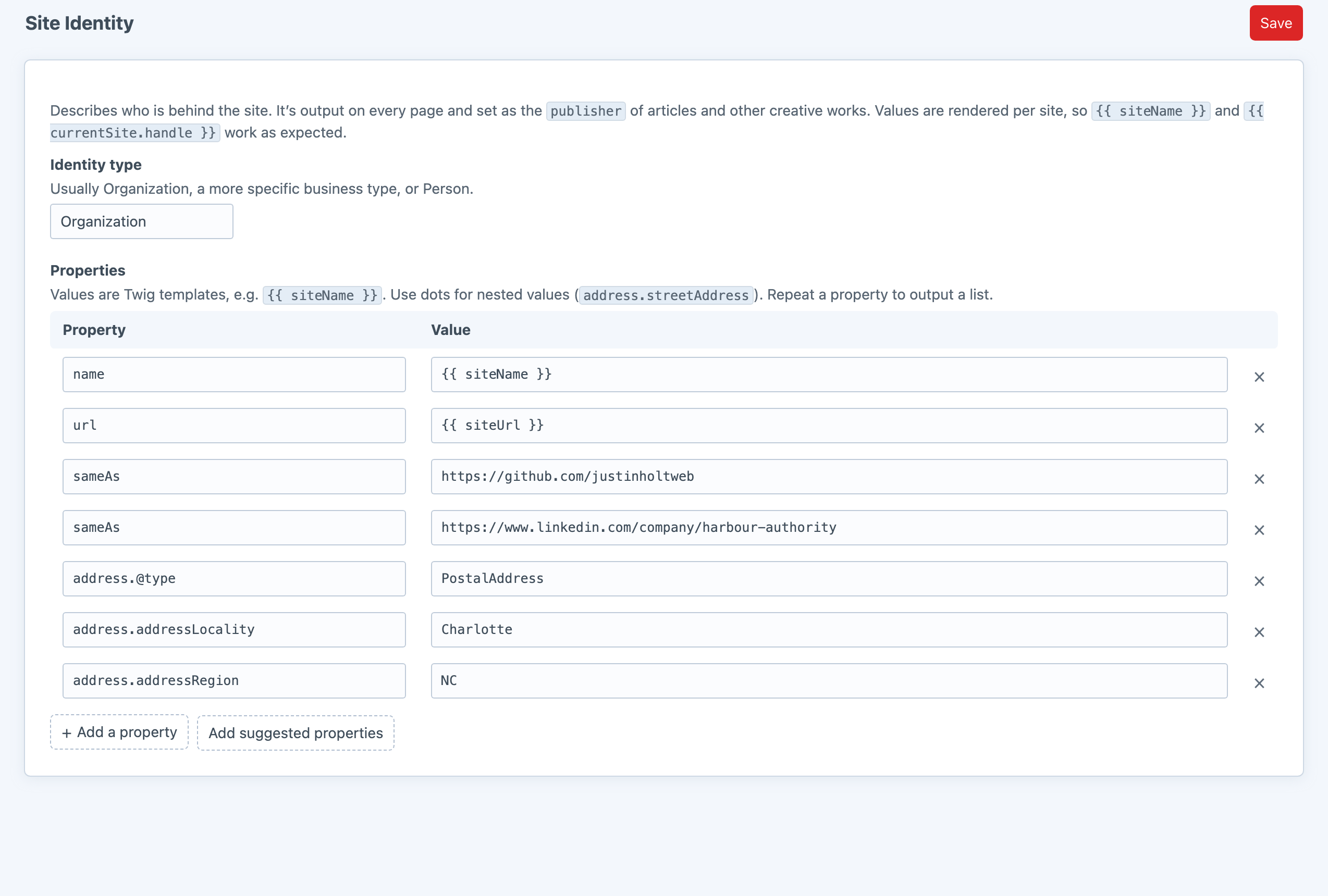
Screenshots from a live install, not mockups.
Automatic, until you want it not to be
Schemy writes the script tag into head on every front-end page. When a template needs more control, it can place the output, add nodes, point at a different element or switch the output off.
{# Place it yourself; automatic output stops for this request #}
{{ craft.schemy.render(entry) }}

{# Add a node to this page's graph #}
{% do craft.schemy.add({'@type': 'Event', name: 'Open day', startDate: '2026-11-01'}) %}

{# Describe a product on a custom route #}
{% do craft.schemy.setElement(product) %}

{# Nothing on this page #}
{% do craft.schemy.disable() %}Frequently Asked Questions
The questions worth answering before you install it.
If you want meta tags, sitemaps, social cards and structured data in one place, use SEOmatic. It's excellent.
Schemy is for sites that only want the structured data, or that already handle the rest some other way. It adds no meta tags, no sitemap, no tables, and no settings unrelated to schema.
Nothing. Schemy is free, one edition, everything included.
All of them. The inputs suggest about forty common types, including Article, NewsArticle, WebPage, FAQPage, Event, Product, LocalBusiness, Person, Recipe, JobPosting, Course and VideoObject. Any other schema.org type or property can be typed by hand.
Yes, entry by entry, through the Schemy field. Section, entry type and identity settings live in project config, so they're admin-only and deploy with the rest of your schema.
No plugin can. Schemy guarantees valid, correctly linked JSON-LD; whether Google shows a rich result depends on Google's requirements for each type. Check pages with the Rich Results Test.
Yes, but you'll get two descriptions of every page. Turn off the other plugin's structured data, or turn off Schemy's identity and WebSite nodes and keep only its entry schema.
Describe your content
One composer require and one section mapped, and every entry in it carries schema.org markup. It's free, and it touches nothing but the JSON-LD.